
RBQ GYM
Introduction
Welcome to the Open-source RBQ gym simulation environment
This manual provides a comprehensive guide on how to simulate the RBQ robot in IsaacGym to train your own locomotion policy using Reinforcement-Learning, then play to evaluate, and then deploy it to the real robot.
Requirements
To run the RBQ gym simulation environment smoothly, the following requirements are recommended:
- OS: Ubuntu 22.04 (x86)
- Minimum PC specs:
- CPU: Intel Core i7 - 12th Gen
- RAM: 16 GB
- Storage: 25 GB
- GPU: Nvidia RTX 4080
- Control Devices
- Keyboard
NOTE
GPU Compatibility
Isaac Gym does not support NVIDIA RTX 50 series (Blackwell) GPUs. Please use RTX 40 series or earlier GPUs for training.
Process Overview
The basic workflow for using reinforcement learning to achieve motion control is:
Train → Play → Sim2Sim
- Train: Use the IsaacGym simulation environment to let the robot interact with the environment and find a policy that maximizes the designed rewards through Reinforcement-Learning with PPO algorithm.
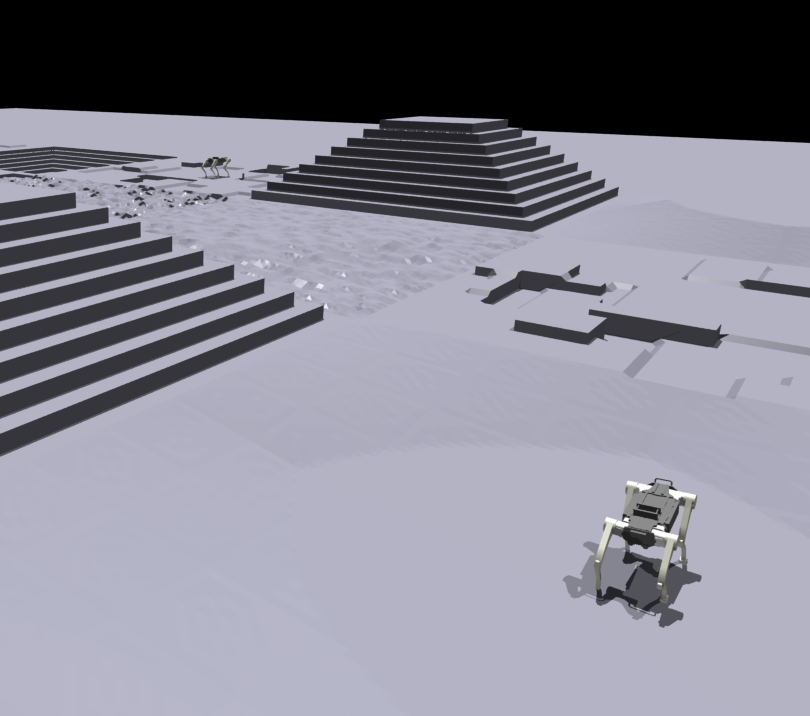
- Play: Use the Play command to verify the trained policy and ensure it meets expectations within the IsaacGym environment.
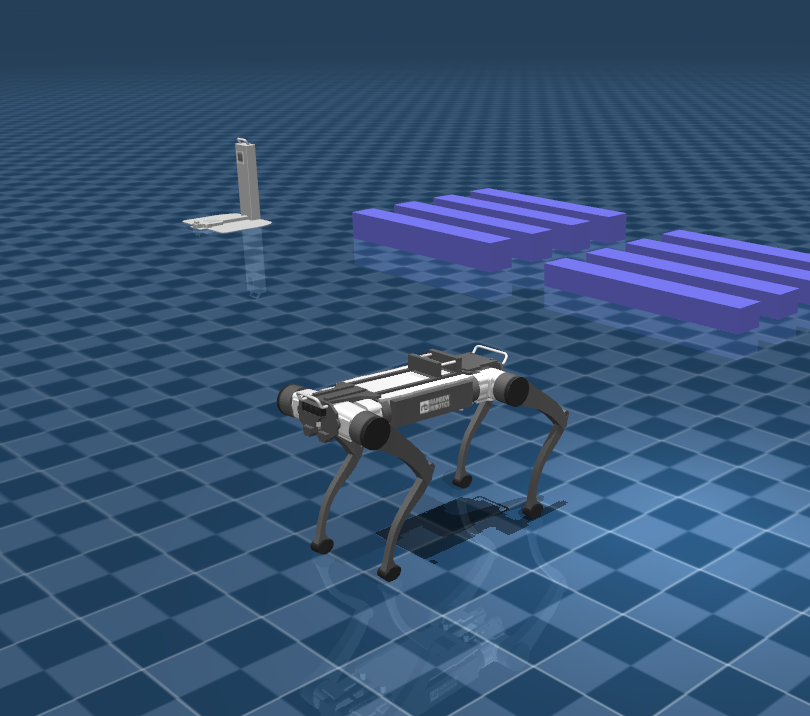
- Sim2Sim: Evaluate the trained policy in Mujoco simulator to ensure the performance and reliability.
- Deploy : Deploy the evaluated policy to the real robot.
| Isaac Gym | Mujoco |
|---|---|
 |  |
Setup an environment
Go to the rbq_gym directory:
cd <your workspace>/RBQ/rbq_gymWithin the rbq_gym directory run the following command to setup the environment:
bash scripts/setup.bashTrain
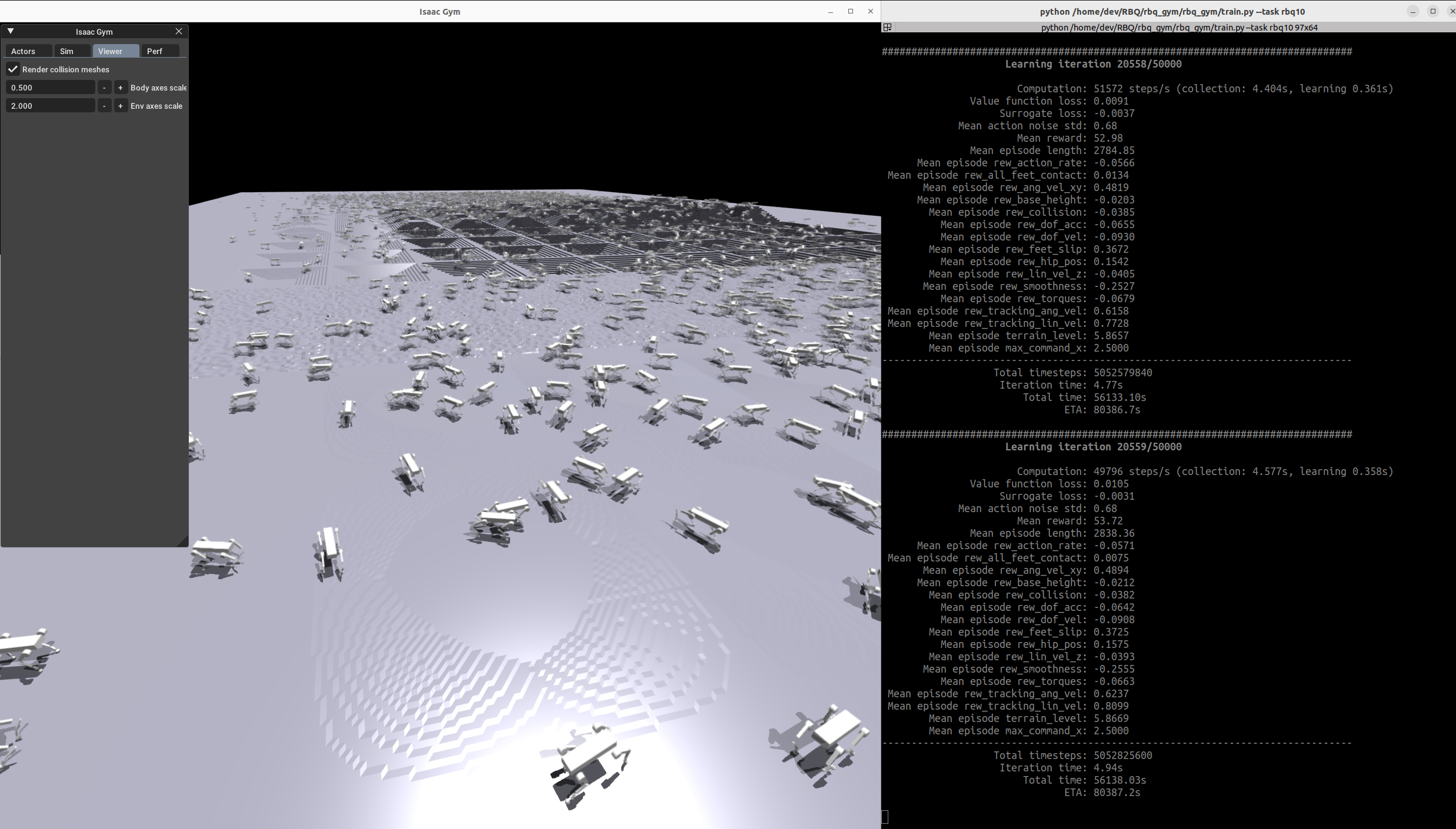
Within the rbq_gym directory run the following command to start training:
bash scripts/train.bash- To run headless (no rendering), add
--headless
NOTE
To improve performance, once the training starts press v to stop the rendering. You can enable it later to check the progress.
| Train RBQ10 |
|---|
 |
Play
Within the rbq_gym directory run the following command to evaluate the training result:
bash scripts/play.bash- To run on CPU, add the following arguments:
--sim_device=cpu - By default, the loaded policy is the last model of the last run of the experiment folder.
- Other runs/model iteration can be selected by setting
load_runandcheckpoint.
| Play RBQ10 |
|---|
Sim2Sim & Deploy
To evaluate and deploy the trained policy, refer to rbq_low_level.
Directory Structure
rbq_gym/
├── 3rdparty
├── policy
│   └── rbq10
│       ├── info.json
│       └── policy.onnx
├── rbq_gym
│   ├── envs
│   │   ├── base
│   │   │   ├── base_config.py
│   │   │   ├── base_task.py
│   │   │   ├── rbquad_config.py
│   │   │   └── rbquad_env.py
│   │   ├── __init__.py
│   │   └── rbq10
│   │       ├── rbq10_config.py
│   │       ├── rbq10_env.py
│   │       └── rewards.py
│   ├── __init__.py
│   ├── model_test.py
│   ├── play.py
│   ├── train.py
│   └── utils
│       ├── helpers.py
│       ├── __init__.py
│       ├── keyboard.py
│       ├── logger.py
│       ├── math.py
│       ├── task_registry.py
│       └── terrain.py
├── scripts
│   ├── activate.bash
│   ├── clear.bash
│   ├── configure.bash
│   ├── play.bash
│   ├── python.bash
│   ├── setup.bash
│   └── train.bash
├── dependencies.yaml
└── setup.pysetup.bash,train.bash,play.bash: scripts for setup, train and play.envs/base/: base environment classes and configurations for the rbq robot.envs/rbq10/: RBQ10 environment, configuration, and reward functions.utils/: utility modules including helpers, keyboard input, logging, math, task registry, and terrain generation.3rdparty/: third-party dependencies and libraries.policy/: trained policies in ONNX format along with their info files.
Adding a New Environment
The base environment rbquad_env implements a rough terrain locomotion task. To add a new environment:
- Add a new folder to
envs/with<your_env>_config.py, inheriting from existing environment configs. - If adding a new robot:
- Add the corresponding assets to the
resources/directory. - In the config, set the asset path, define body names,
default_joint_positions, and PD gains. - Specify the desired
train_cfgand environment class name. - In
train_cfg, setexperiment_nameandrun_name.
- Add the corresponding assets to the
- (If needed) Implement your environment in
<your_env>_env.py, inheriting from an existing environment, and overwrite desired functions or add reward functions. - Register your environment in
rbq_gym/envs/__init__.py. - Modify/tune other parameters as needed. To remove a reward, set its scale to zero. Do not modify parameters of other environments.