Skip to content

RBQ SDK — ROS2 Overview

The RBQ ROS2 SDK (rbq_sdk/ros2/) provides a ROS 2 Humble interface to the RBQ robot, including robot state publishers, sensor data streams, vision topics, and a command subscriber.

What the ROS2 SDK provides

  • Robot Control — Gait switching, posture commands, velocity control, auto-docking.
  • Sensor Feedback — IMU, joint status, foot contact, battery state at 50 Hz.
  • Vision Streaming — Front, rear, and bottom camera topics (RGB, IR, Depth, camera_info).
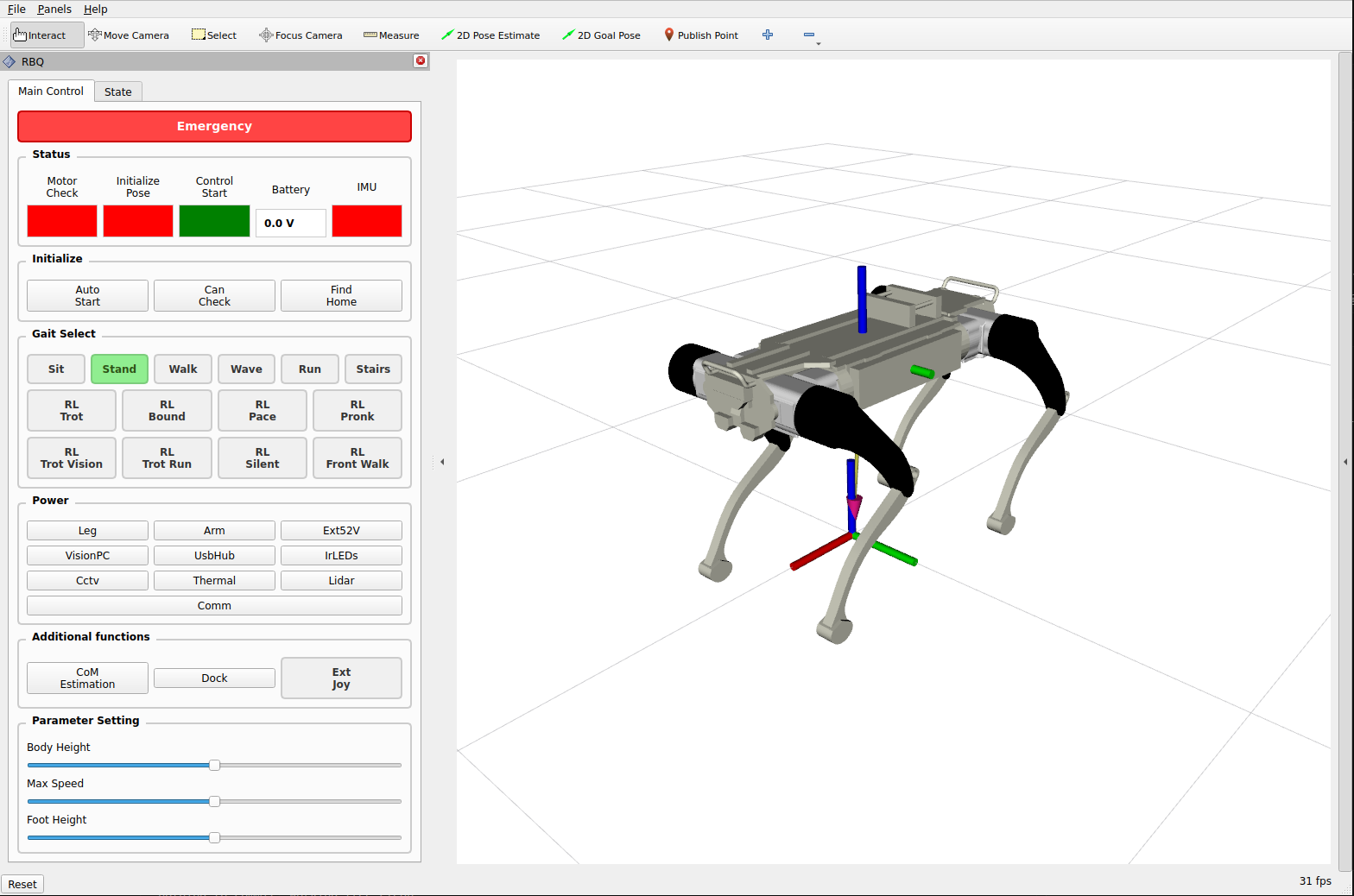
  • RViz2 Visualization — URDF robot model with custom RViz panel for live commands.

System requirements

ComponentRequirement
OSUbuntu 22.04
ROS 2Humble
Python3.8 / 3.9 / 3.10

Quick install

bash
# Install ROS Humble (first time) — https://docs.ros.org/en/humble/Installation/Ubuntu-Install-Debs.html
sudo apt update && sudo apt install -y ros-humble-desktop \
    python3-colcon-common-extensions python3-rosdep \
    ros-humble-rmw-cyclonedds-cpp ros-humble-cyclonedds
sudo rosdep init && rosdep update
source /opt/ros/humble/setup.bash

# Install ROS dependencies
cd ros2
rosdep install --from-paths src -y --ignore-src

# Build
colcon build --symlink-install

Run (simulation)

bash
source ros2/install/local_setup.bash
bash scripts/sim.bash

Run (real robot)

bash
source ros2/install/local_setup.bash
bash scripts/start_ros_driver.bash

ROS2 SDK full documentation

For the complete topic reference, command examples, RViz setup, and DDS configuration see the full guide:

ROS2 SDK Full Documentation

The full page covers:

  • All gait state topics and command topics
  • Low-level state topics (robot status, joint status, battery, foot states)
  • High-level command (rbq/motion/cmd_highLevel) with velocity ranges per gait
  • Navigation command (rbq/motion/cmd_navigateTo)
  • Vision and camera topics
  • PTZ camera control
  • PDU power control
  • RViz2 launch and visualization
  • DDS domain / network configuration for developer PC ↔ robot communication

RViz2 Visualization

Visualize robot state, URDF model, and sensor data in real time — and send commands — via the RViz2 GUI panel.

bash
source ros2/install/local_setup.bash
bash scripts/start_rviz.bash
RViz2 visualization

This user manual is intended for RBQ users.