Skip to content

MuJoCo

Introduction

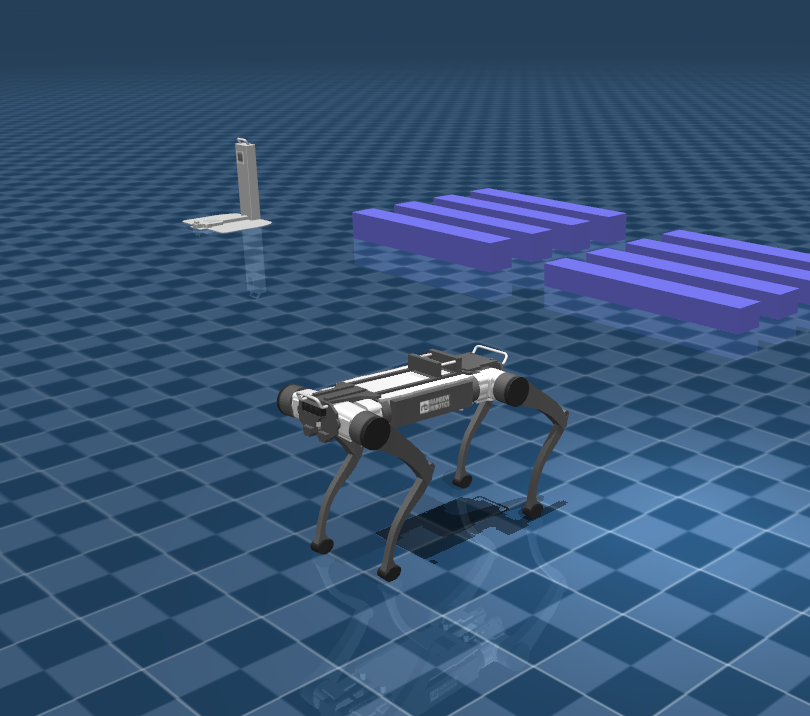
Open-source MuJoCo simulator for the RBQ quadruped robot.

MuJoCo runs the full RBQ software stack (Motion / Vision / GUI) against a physics simulation. Unlike the Isaac Gym and Isaac Lab environments — which exist to train reinforcement-learning policies — MuJoCo lets you develop and test the robot software itself without any hardware. It joins the running RBQ stack as a DDS peer, so the same Motion / Vision / GUI processes that run on the real robot run unchanged against the simulator.

MuJoCo
MuJoCo

Layout

PathDescription
src/Simulator sources → bin/rbq_mujoco
resources/model/MJCF models (default.xml, env/, rbq/)
scripts/Build / Docker scripts

Run with the full RBQ stack (Local)

Run the full RBQ stack (Motion / Vision / GUI) together with the MuJoCo simulator:

bash
# Clone
git clone https://github.com/RainbowRobotics/RBQ.git
cd RBQ

# Install dependencies (first time only)
cd rbq_simulator/rbq_mujoco && bash scripts/debian-dep.bash

# Build rbq_mujoco
bash scripts/build.bash

# Run the RBQ stack
cd ../../
bash scripts/sim.bash --vision --no-sim

# Run rbq_mujoco
cd rbq_simulator/rbq_mujoco
./bin/rbq_mujoco -p resources/model/default.xml

Run with the full RBQ stack (Docker)

Run the same stack with the MuJoCo simulator inside Docker:

bash
# Clone
git clone https://github.com/RainbowRobotics/RBQ.git
cd RBQ

# Run the RBQ stack
bash scripts/sim.bash --vision --no-sim

# Run rbq_mujoco in Docker
cd rbq_simulator/rbq_mujoco
bash scripts/docker/run.bash

NOTE — DDS networking

The simulator shares DDS domain 0 on the loopback interface (lo) with the host RBQ stack. In Docker this is provided by --network host.

See also

This user manual is intended for RBQ users.