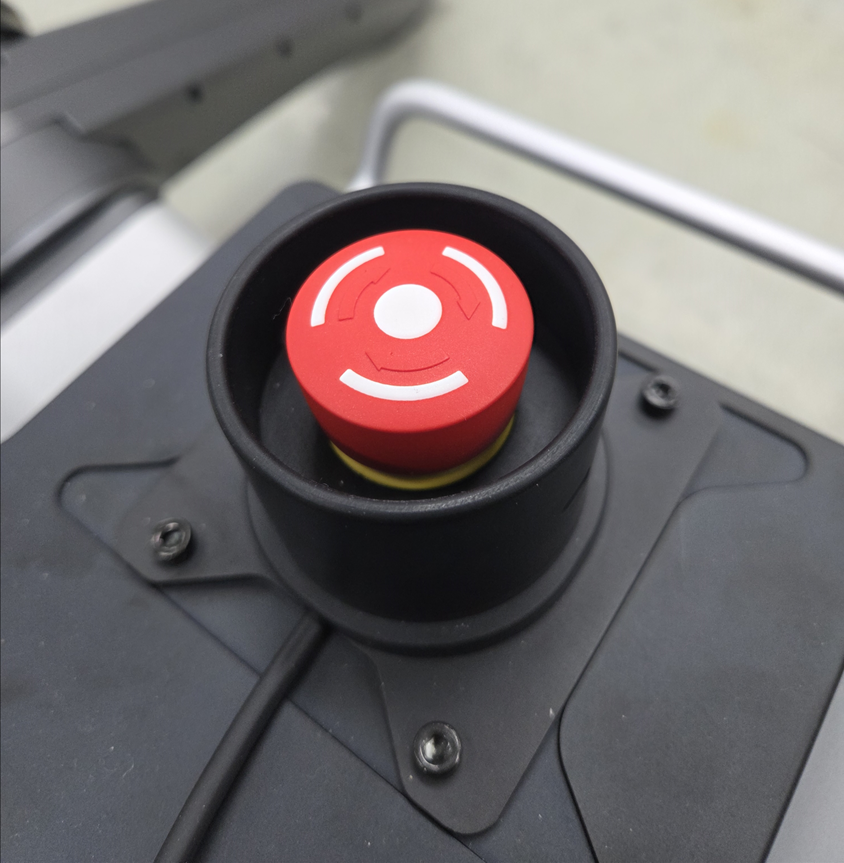
6-3. Emergency Stop & Recovery
Goal: Know how to stop the robot immediately in an emergency and how to safely resume operation.
WARNING
Always keep the emergency stop button accessible during operation. In any situation where the robot poses a risk to people or property, press the emergency stop button immediately.
Physical Emergency Stop Button

When the emergency stop button is pressed:
- All joints switch to High Damping mode.
- The robot resists external motion but does not accept torque or position commands.
- The robot may lose its posture and settle to the ground under gravity.
NOTE
High Damping mode protects both the user and the robot. The robot will not execute any motion commands until the emergency stop is cleared and the robot is re-initialized.
GUI Emergency Stop
You can also trigger an emergency stop from RBQGUI without reaching the physical button.

Pressing the EMERGENCY button in the top bar of RBQGUI has the same effect as the physical button — all joints enter High Damping mode immediately.
Recovery Procedure
After an emergency stop, follow these steps to safely resume operation:
- Ensure safety — Confirm that all people and animals have moved at least 2 m away from the robot.
- Release the button — Rotate the physical emergency stop button clockwise to return it to its original (unlocked) position.
- Return to initial pose — If the robot has fallen or shifted, manually return it to the correct initial pose on a flat surface.
- Re-initialize — Press the Stance button in RBQGUI, or run Auto Start from the Controller & Wi-Fi setup.
- Verify — Confirm that the EMERGENCY indicator is no longer lit and that all Auto Start items are green before resuming operation.
CAUTION
Do not attempt to force-move the joints while the robot is in High Damping mode. Return the robot to the initial pose carefully and only after the emergency stop has been released.