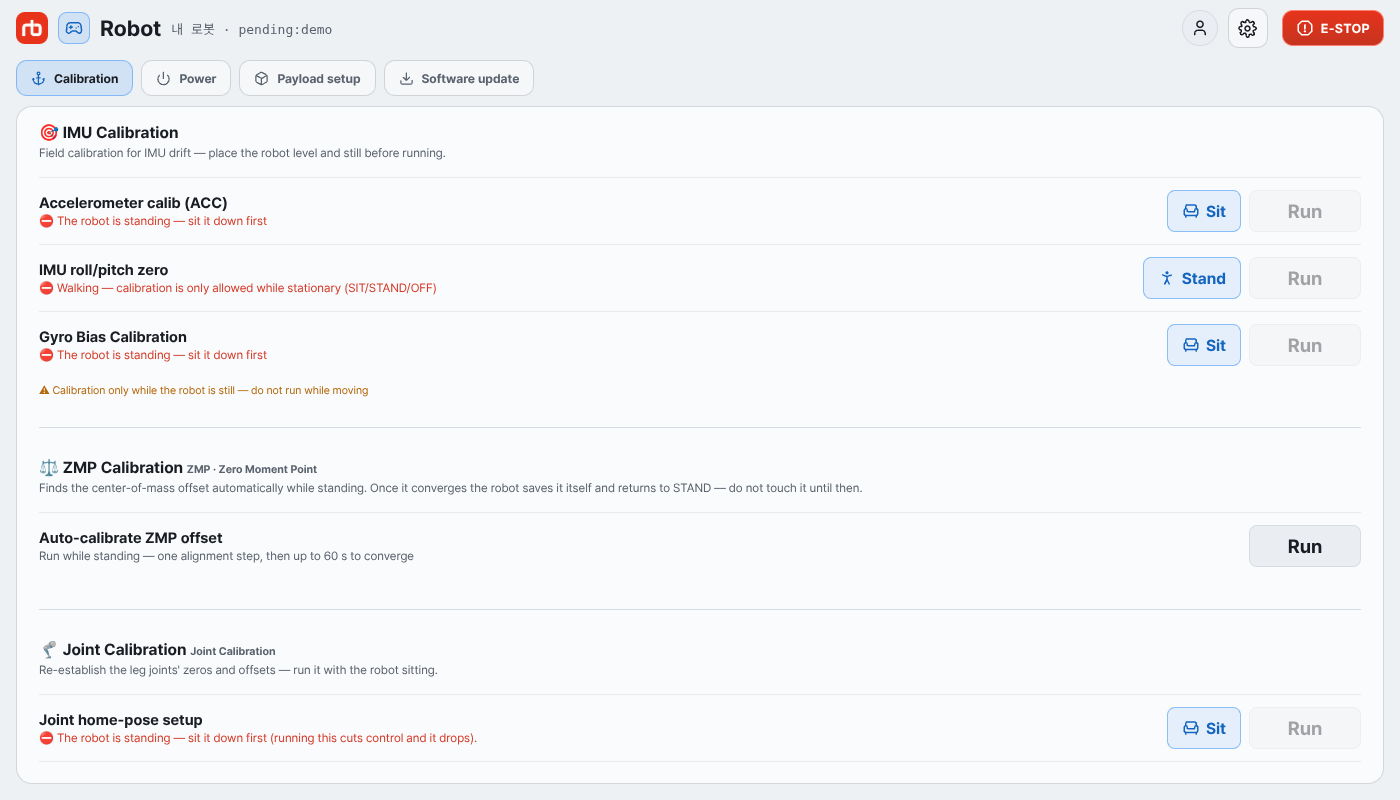
4. ZMP Calibration
Goal: Re-center the robot's Zero Moment Point so it stays balanced while standing and walking under the new add-on weight.
Prerequisites: Step 3 Payload Setting is complete — mass and X/Y/Z offset are registered in the robot.
What ZMP Calibration Does
ZMP (Zero Moment Point) calibration aligns the center of ground reaction force while the robot is standing, so the robot can maintain balance during walking. Whenever you change payload, the center of mass shifts — this step compensates for it.
Before You Start
- Place the robot on a flat, solid surface.
- Make sure no objects or people are touching the robot.
- RBQGUI is connected to the robot and the new payload is registered.
Procedure
- Launch RBQGUI and connect to the robot.
- Set the robot to Stance (standing) mode.
- Press and hold the Sit button.

- In the menu that appears, select ZMP CALIBRATE.

- When the button turns orange, calibration is in progress.
- Do not touch the robot until calibration finishes.

- When the button returns to white and the display shows Gait: Stance, calibration is complete.
- Move the robot (Stance → Walk) and verify it walks normally with the new add-on.
CAUTION
Do not place objects on the robot or push the robot during calibration. If calibration fails, repeat the procedure.
Done
Your add-on is mounted, registered, and the robot is calibrated for the new load. You can now command motions normally — return to Basic Motion Command to drive the robot.