Skip to content

Network Configuration Diagram

The network layout differs from robot to robot. Two things vary:

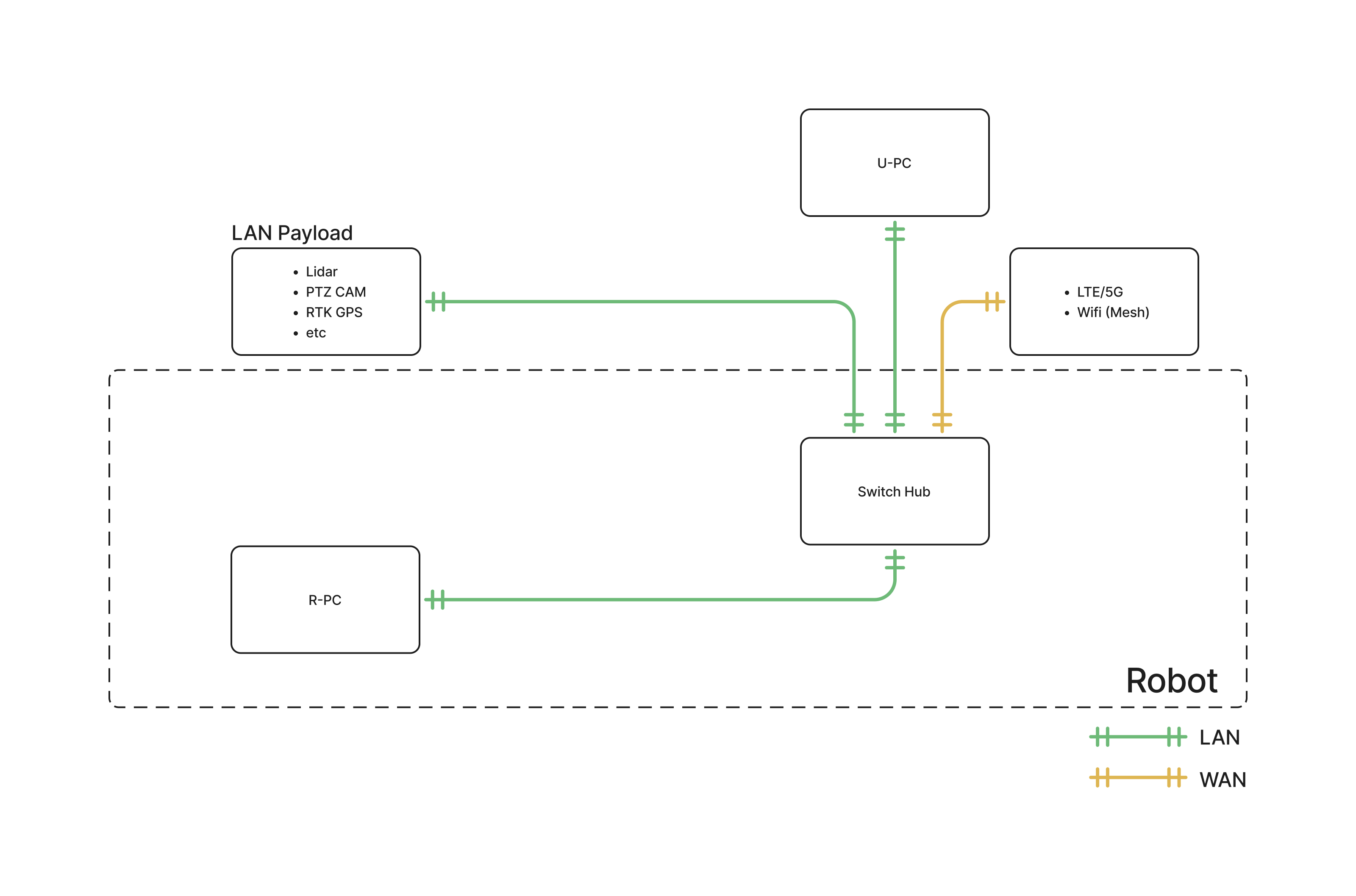
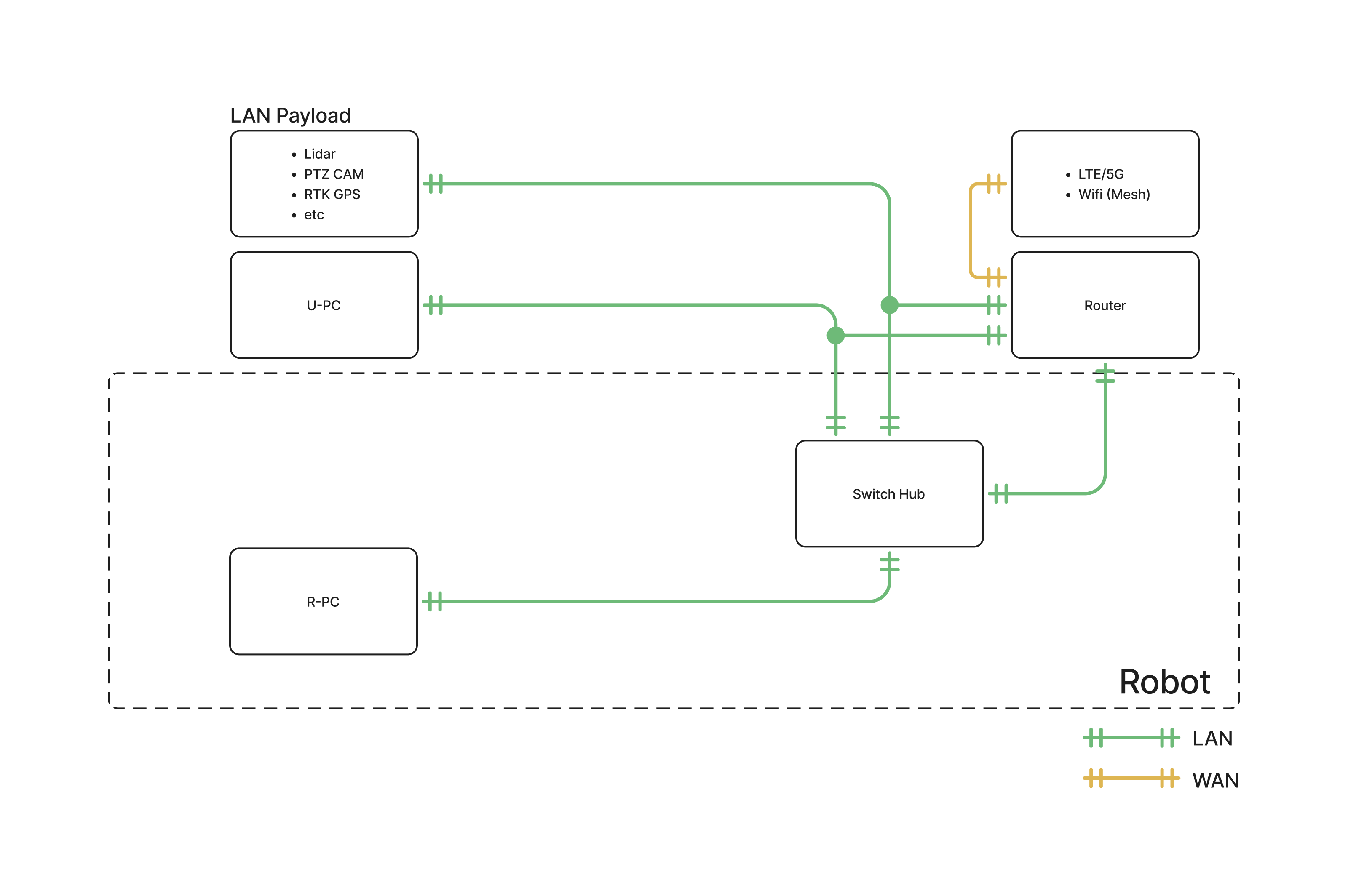
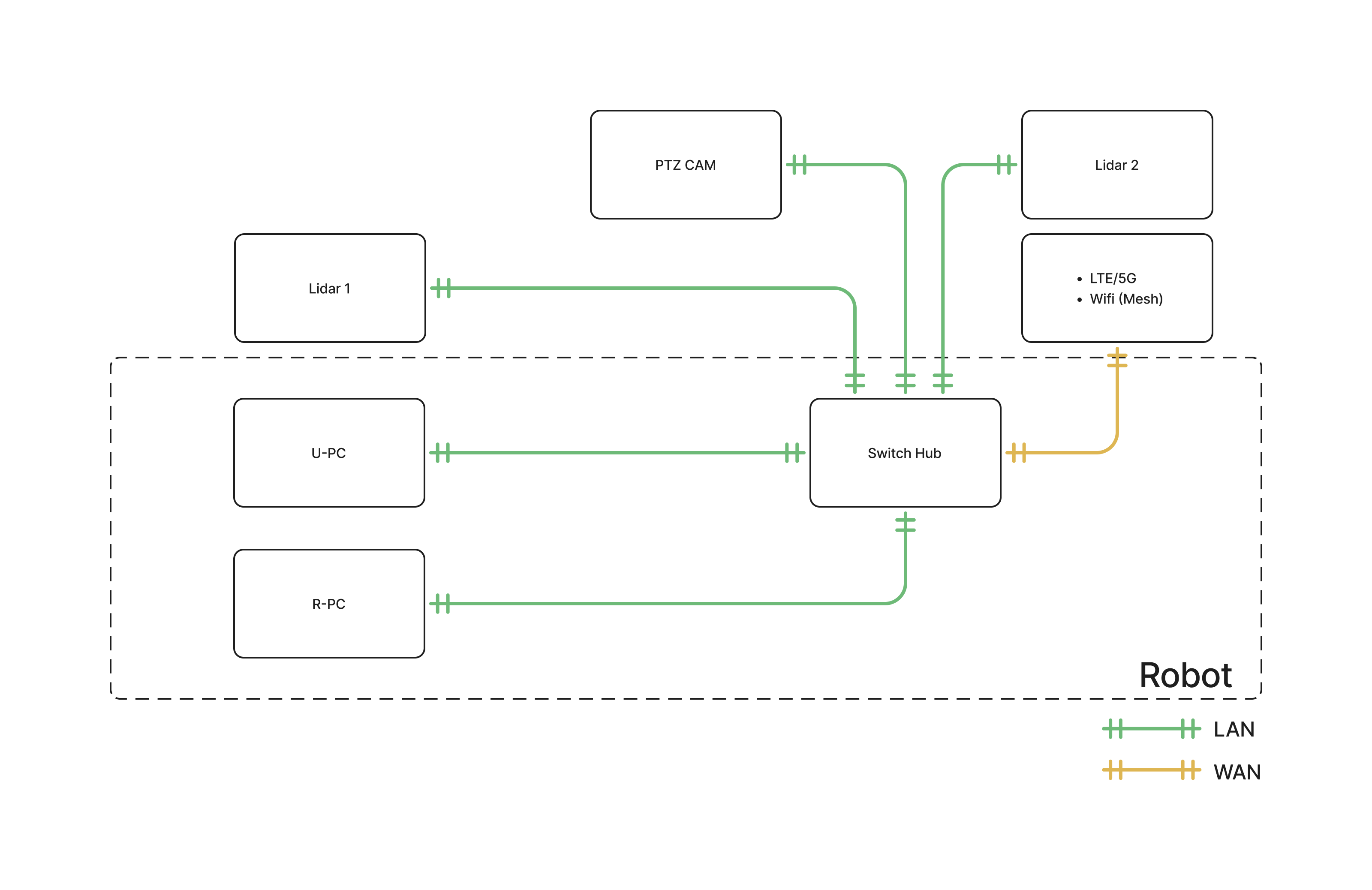
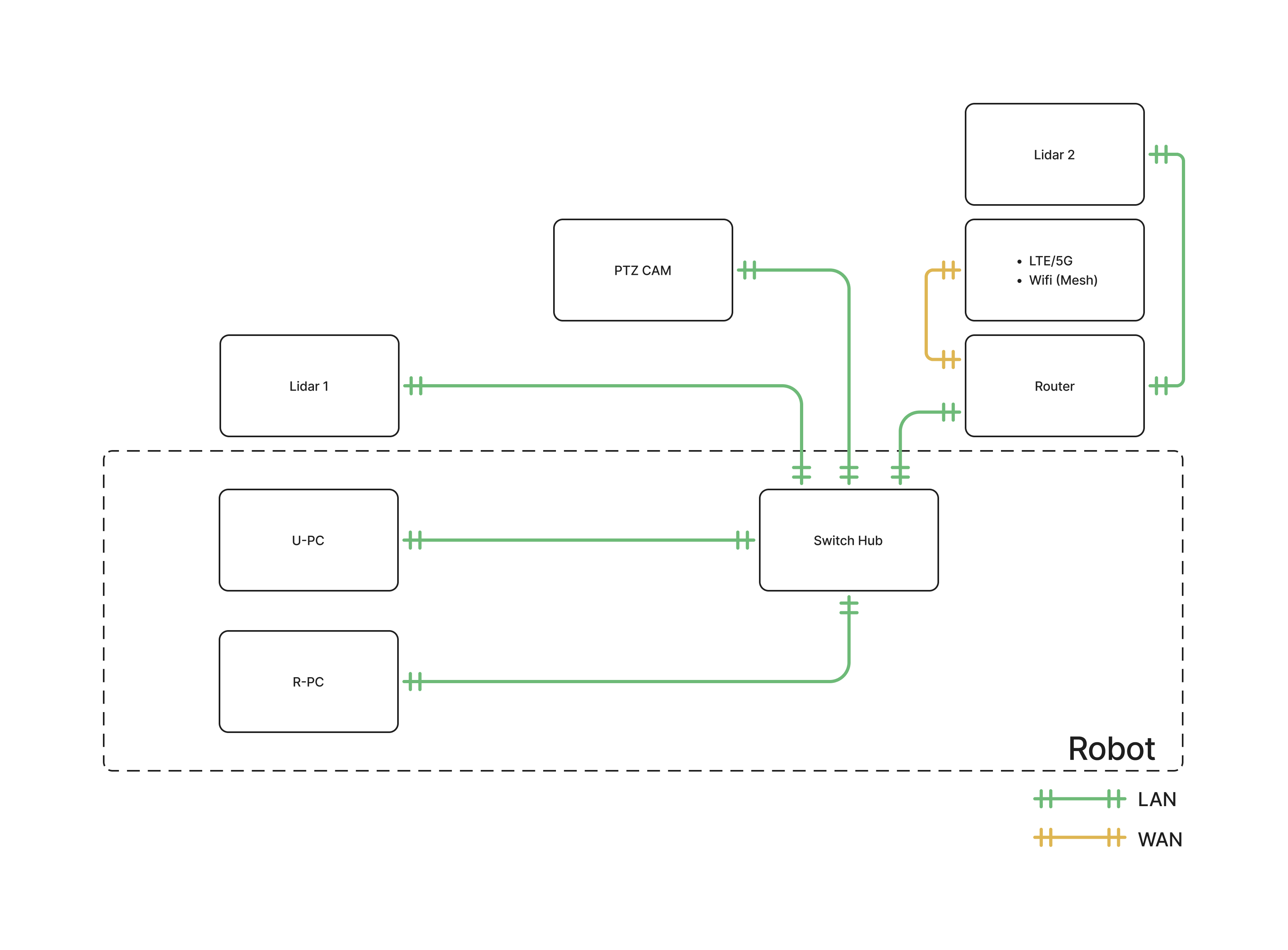
  • Configuration — the research layout keeps the User PC outside the robot and treats payloads as one generic LAN group. The industrial layout mounts the User PC inside the robot and wires each payload individually.
  • Router — some robots have the router integrated into the switch hub, so the LTE/5G · Wi-Fi (Mesh) module connects straight to it. Others reach the network through a separate external router.

In every diagram, R-PC is the robot's motion PC and U-PC is the user PC. Green lines are LAN, orange lines are WAN.

NOTE

The network layout can differ between versions. Please contact us if you are unsure which one applies to your robot.

Research configuration

The U-PC sits outside the robot. LAN payloads — LiDAR, PTZ camera, RTK GPS and so on — share a single connection to the switch hub.

Router integrated into the switch hub

Network configuration diagram, research configuration, router integrated into the switch hub
[ Research · Router integrated ]

Separate external router

Network configuration diagram, research configuration, separate external router
[ Research · External router ]

Industrial configuration

The U-PC is mounted inside the robot alongside the R-PC, and each payload — LiDAR 1, LiDAR 2, PTZ camera — has its own connection to the switch hub.

Router integrated into the switch hub

Network configuration diagram, industrial configuration, router integrated into the switch hub
[ Industrial · Router integrated ]

Separate external router

Network configuration diagram, industrial configuration, separate external router
[ Industrial · External router ]

On this layout LiDAR 2 connects through the router rather than directly to the switch hub.

Network details

ItemValue
Wi-Fi2.4 GHz and 5 GHz
Network switch speedGigabit Ethernet (1 Gbps)
Access point192.168.0.1

Onboard PCs and IP addresses

Every robot ships with the Motion PC (R-PC). The Vision PC and the User PC (U-PC) are options — your robot may not have them.

PCIPRoleFittedUser access
Motion PC (R-PC)192.168.0.10Robot controlStandardNo
Vision PC192.168.0.12Vision processingOptionNo
User PC (U-PC)192.168.0.13Your development workOptionYes

The Motion PC and the Vision PC run the robot itself and are not user-accessible. Do your development work on the U-PC.

If the U-PC does not respond

The U-PC default address is 192.168.0.13. If you cannot connect, attach a monitor to the U-PC and check its current IP. If it is using a different address, set it statically to 192.168.0.13.

This user manual is intended for RBQ users.