How To Back-up Control Box Files v7.7
Back-up Control-Box files
WARNING
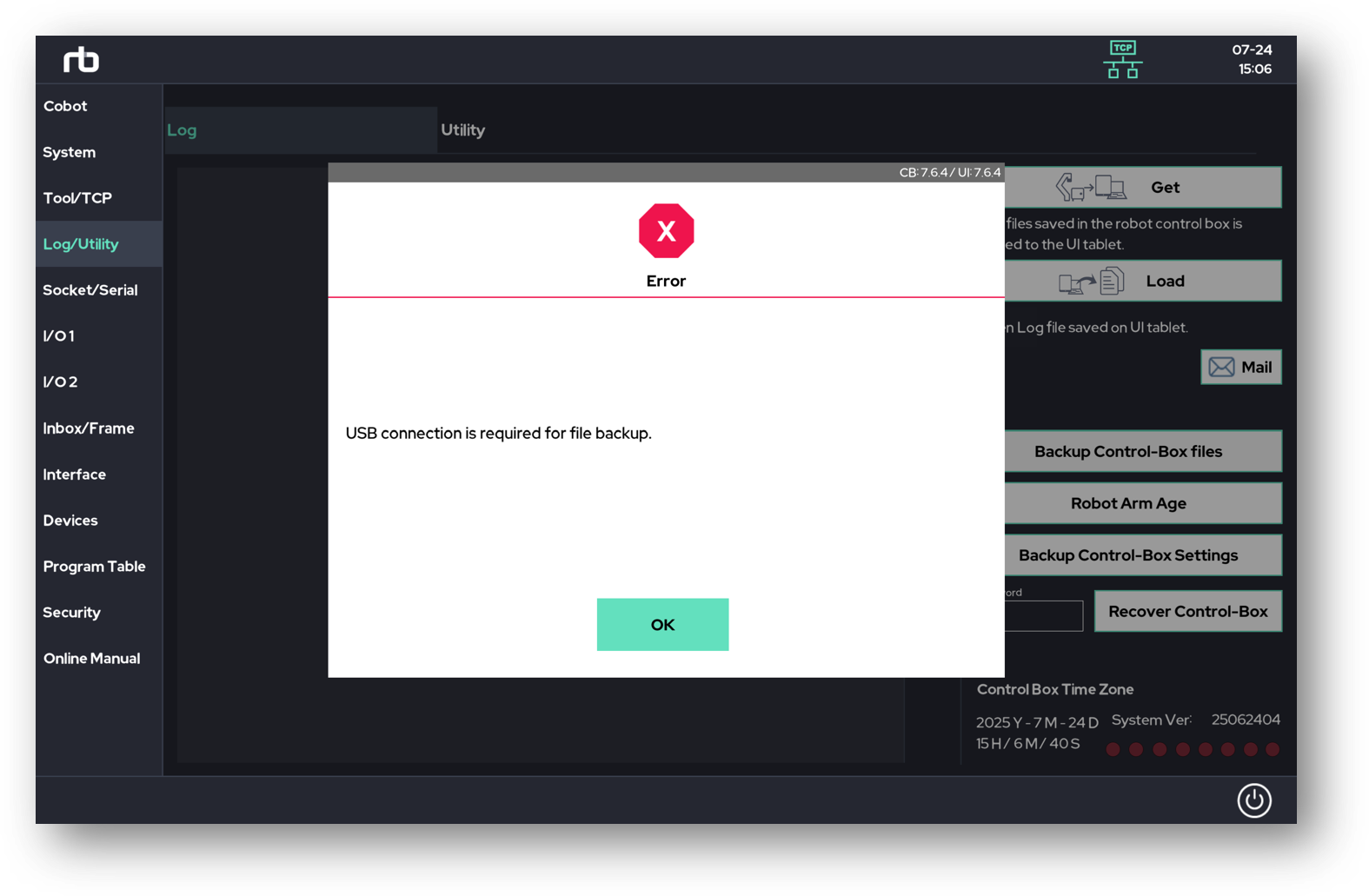
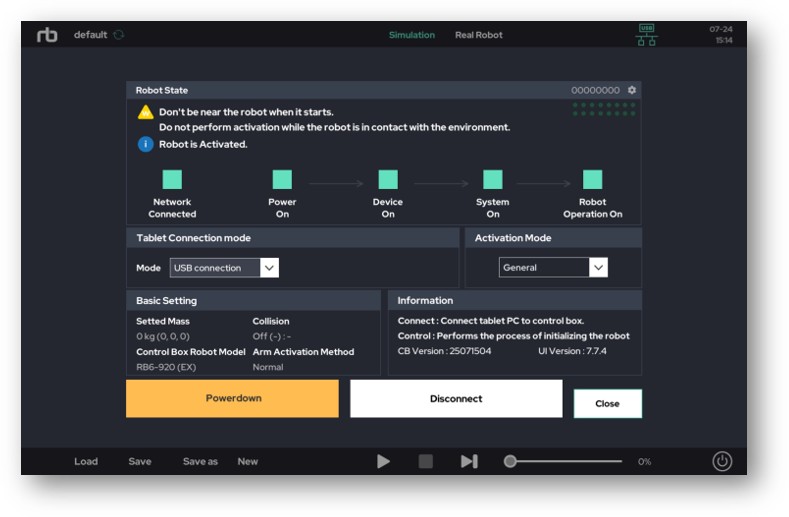
Please ensure that the control box and the RB UI are connected via USB, as backup is only supported under this connection.
When you click "Backup Control-Box files", the files will be saved to the path shown in the popup window. After connecting the tablet to a PC, you can access the saved files by navigating to the specified path. 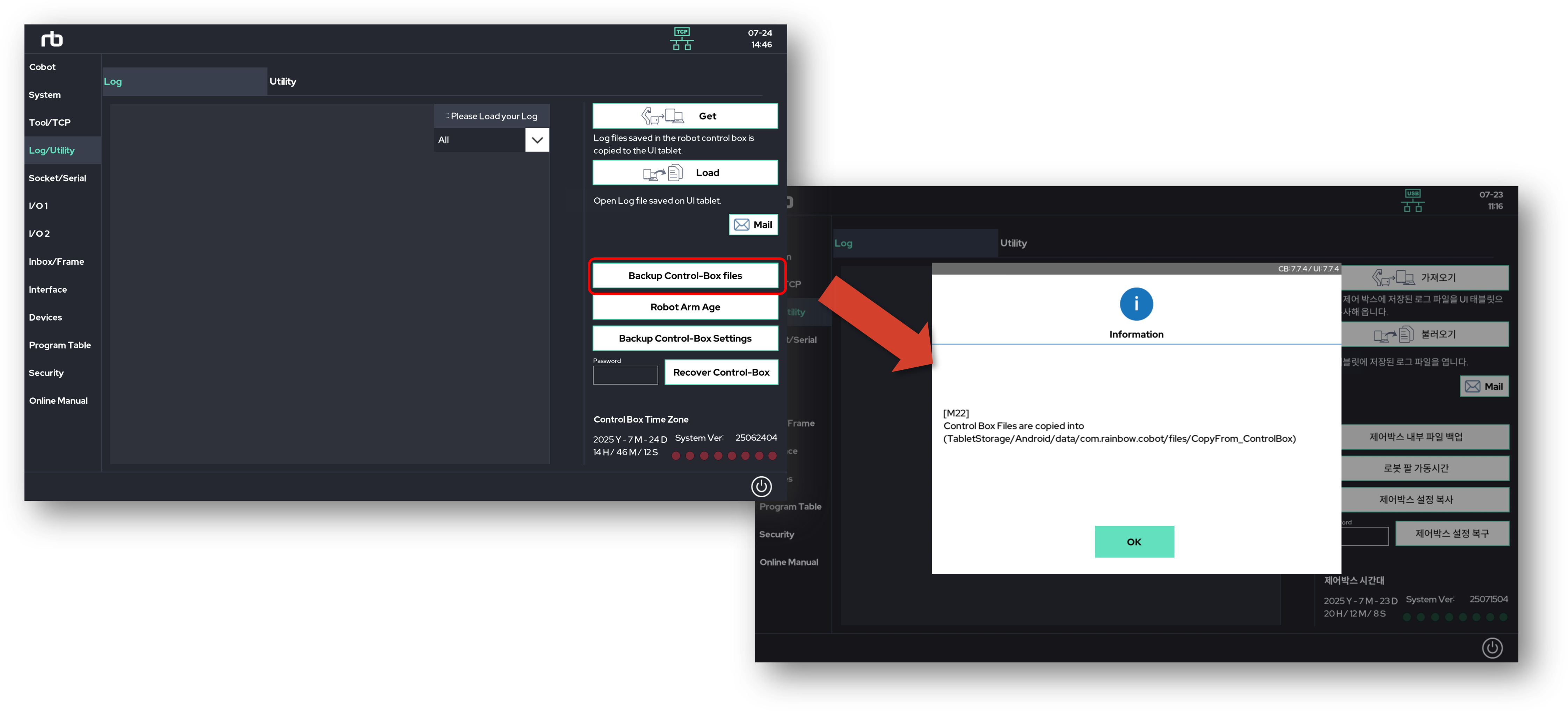
Location of the back-up files
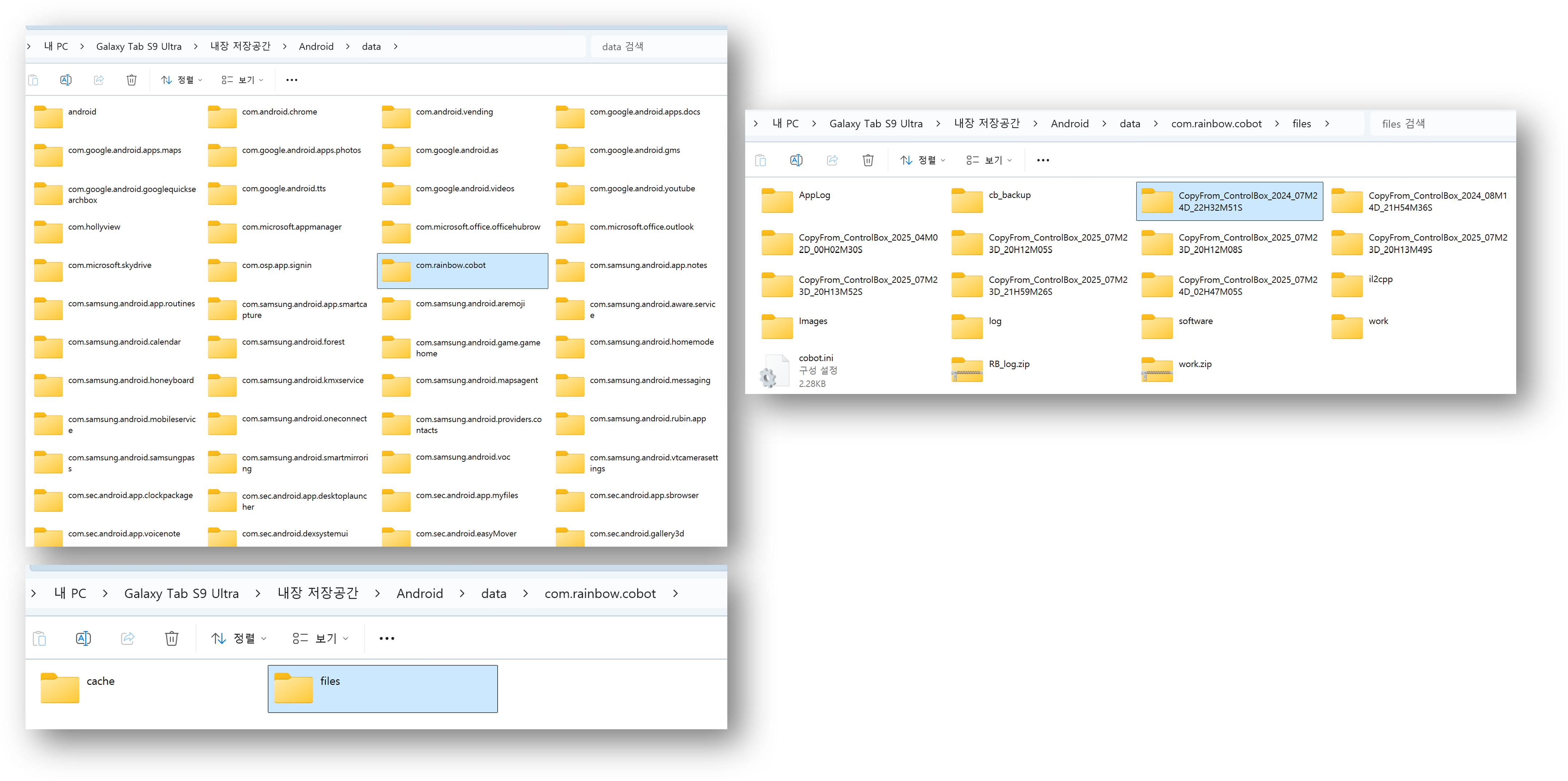
Enter Tablet -> Android -> data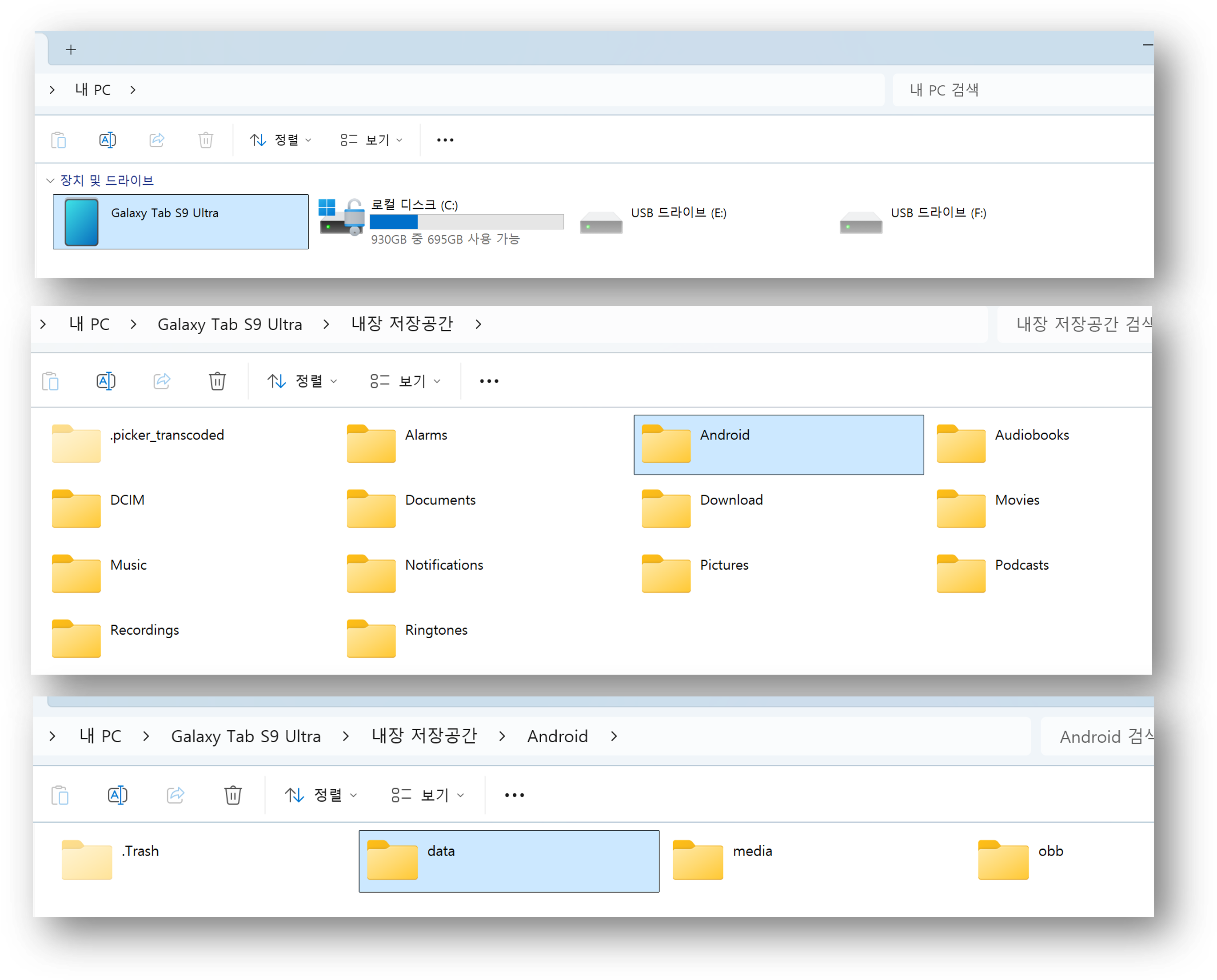
The backup files are stored in the com.rainbow.cobot -> files directory. Please refer to the backup date to identify the correct folder.
This folder contains log files, wsl files.