
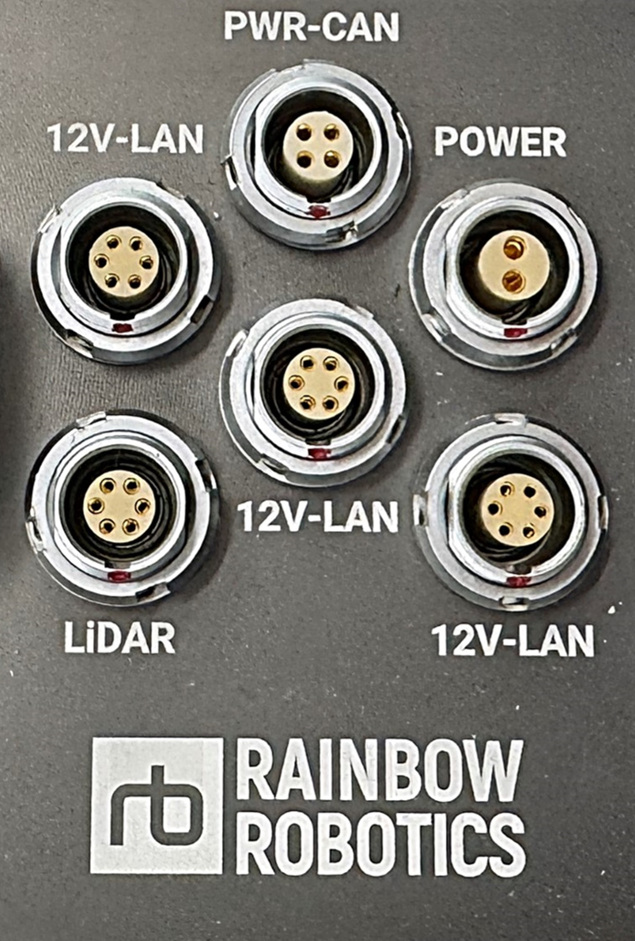
외부 포트 정보
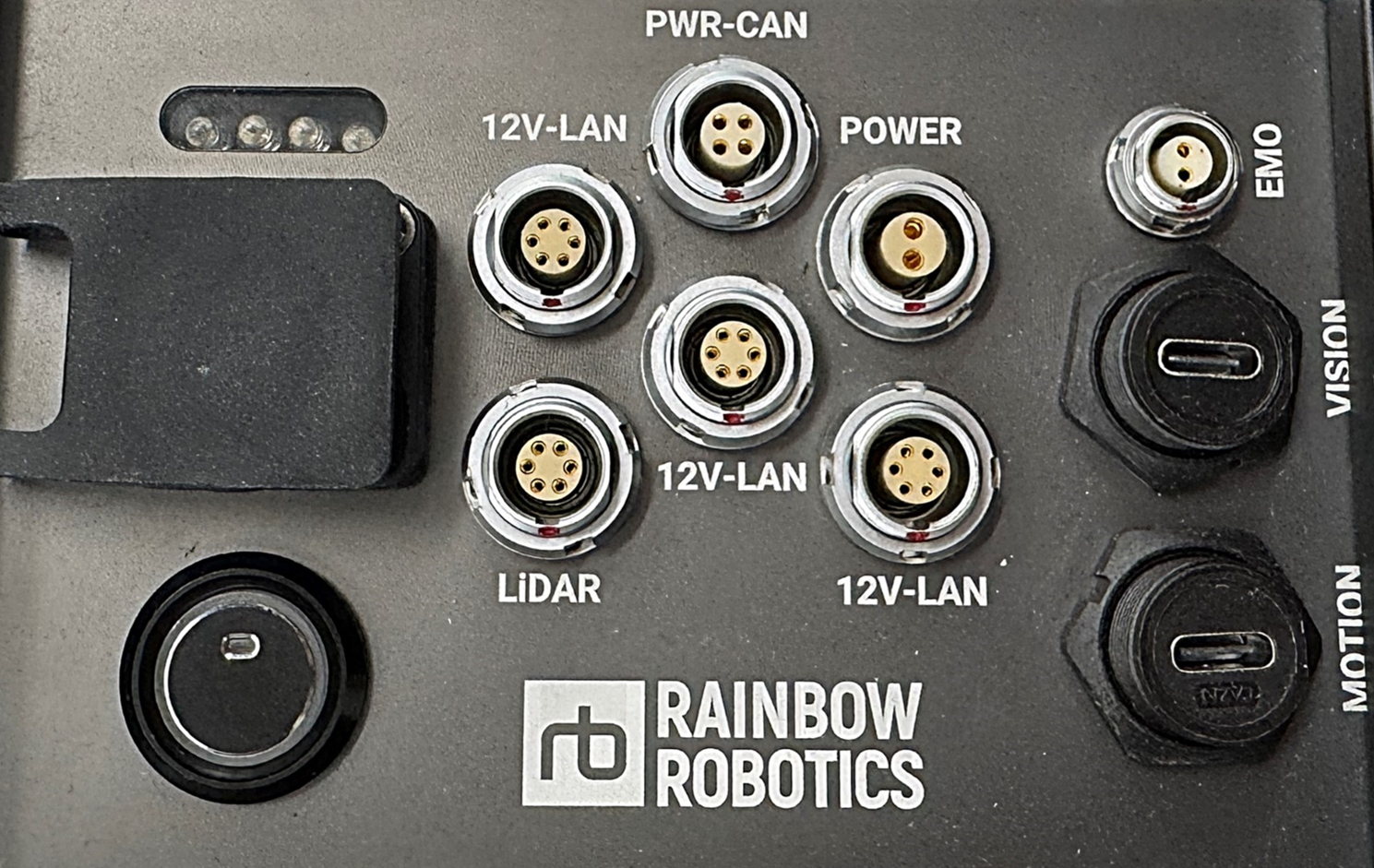
전체 외부 포트 패널
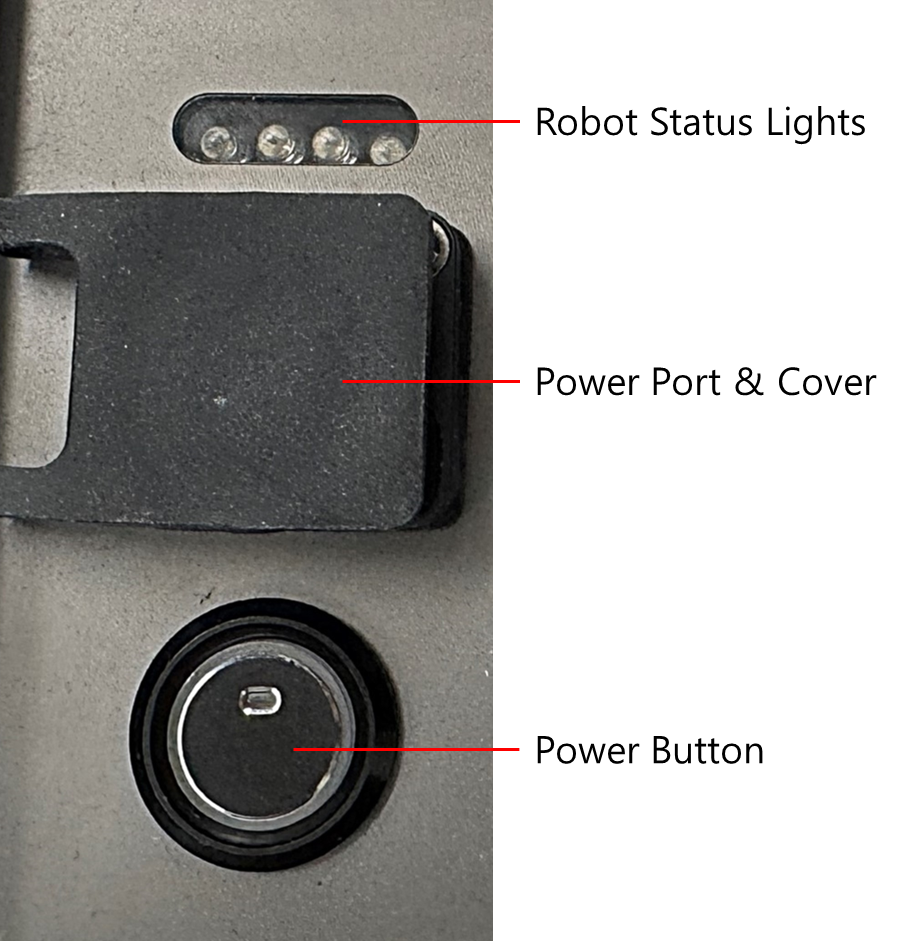
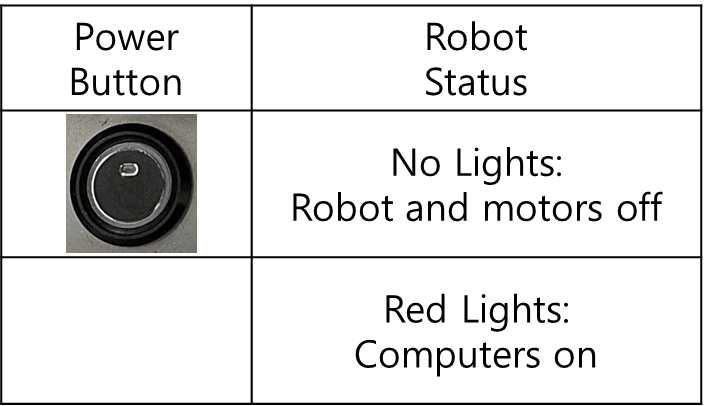
충전 및 전원 스위치
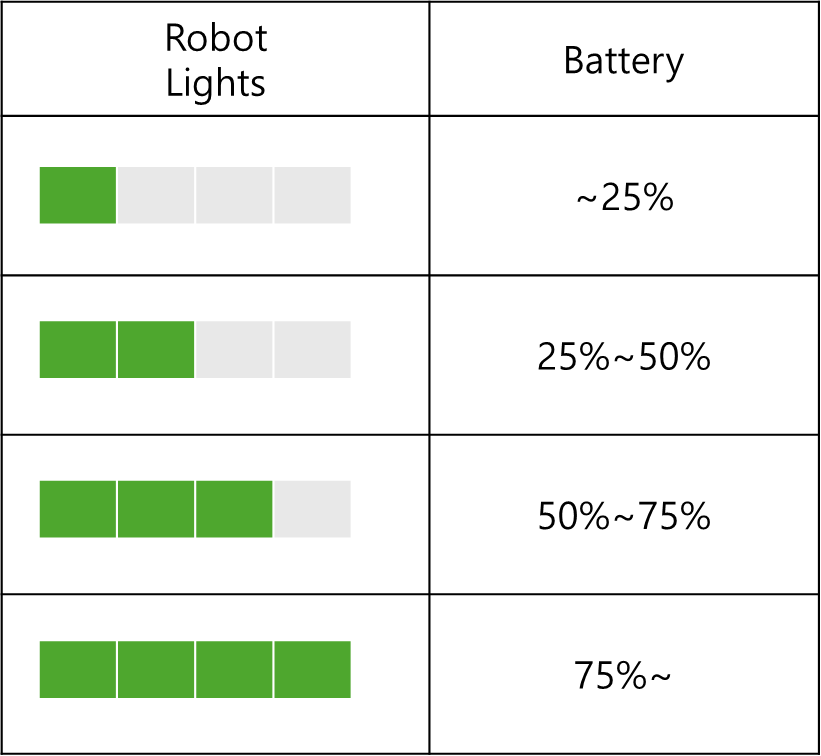
- Robot Battery Lights
- Robot Status Lights (blinking)
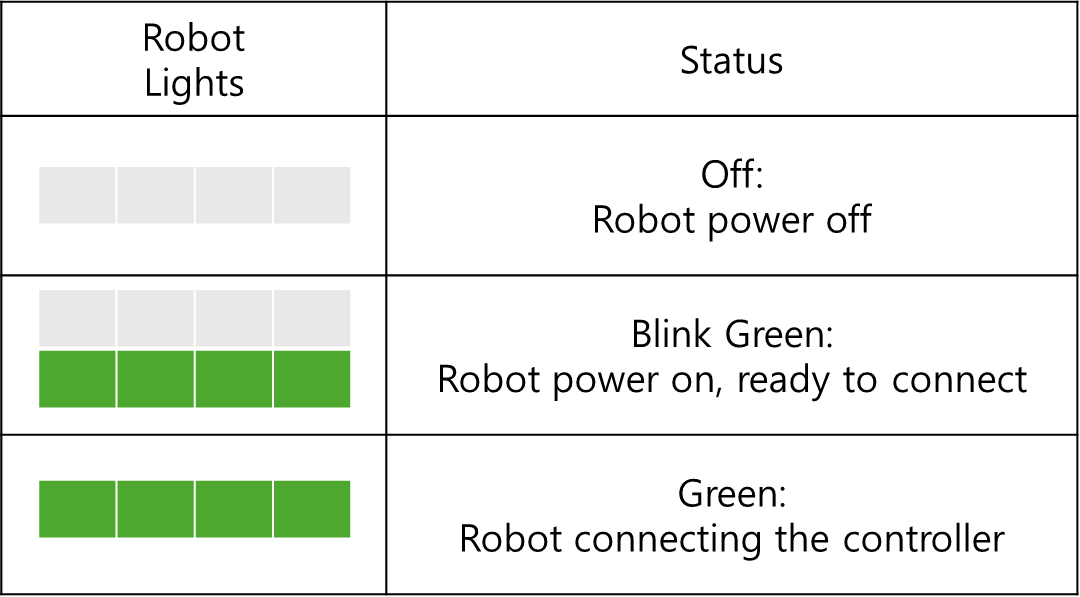
- Power Button Status
사용자 포트 핀맵
POWER
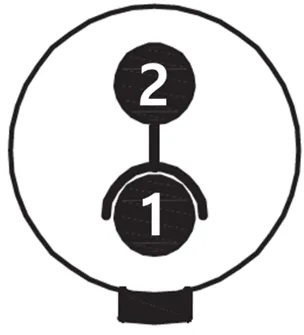
| Pin | Function | Color |
|---|---|---|
| 1 | VCC | Red |
| 2 | GND | Black |
- VCC: 42.0 ~ 58.4V (Battery Power)
- Max. Current: 5A
PWR-CAN
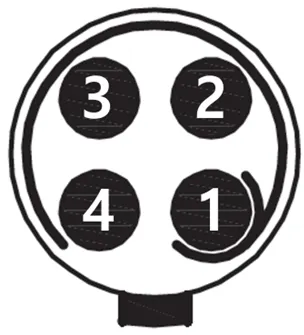
| Pin | Function | Color |
|---|---|---|
| 1 | VCC | Red |
| 2 | GND | Black |
| 3 | CAN High | White |
| 4 | CAN Low | Blue |
- VCC: 42.0 ~ 58.4V (Battery Power)
- Max. Current: 10A
- Can Communication is Connected to the Robot PC
12V-LAN
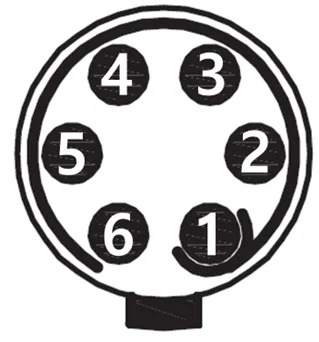
| Pin | Function | Color |
|---|---|---|
| 1 | VCC | Red |
| 2 | GND | Black |
| 3 | LAN TX+ | White/Green |
| 4 | LAN TX- | Green |
| 5 | LAN RX+ | White/Orange |
| 6 | LAN RX- | Orange |
- VCC: 12V
- Max. Current: 2A
- Network Switch Speeds: Fast Ethernet (100Mbps)
- Lan Communication is Connected to the switching hub
LiDAR
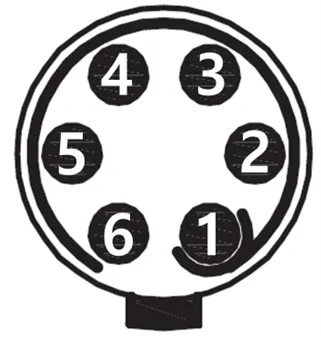
| Pin | Function | Color |
|---|---|---|
| 1 | VCC | Red |
| 2 | GND | Black |
| 3 | LAN TX+ | White/Green |
| 4 | LAN TX- | Green |
| 5 | LAN RX+ | White/Orange |
| 6 | LAN RX- | Orange |
- VCC: 12V
- Max. Current: 2A
- Network Switch Speeds: Fast Ethernet (100Mbps)
- Lan Communication is Connected to the User PC
직결 PC 포트
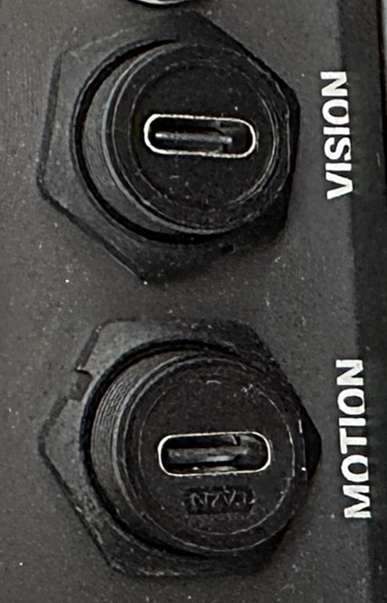
Vision
- Connected to the User PC
Motion
- Connected to the Robot PC