
GUI Software Update
This page explains how to update the GUI software from RBQGUI.
Make sure the internet connection is working.
(You must connect to a Wi-Fi network with internet access, not the robot network.) Press the Settings button in the top-left to open the settings screen.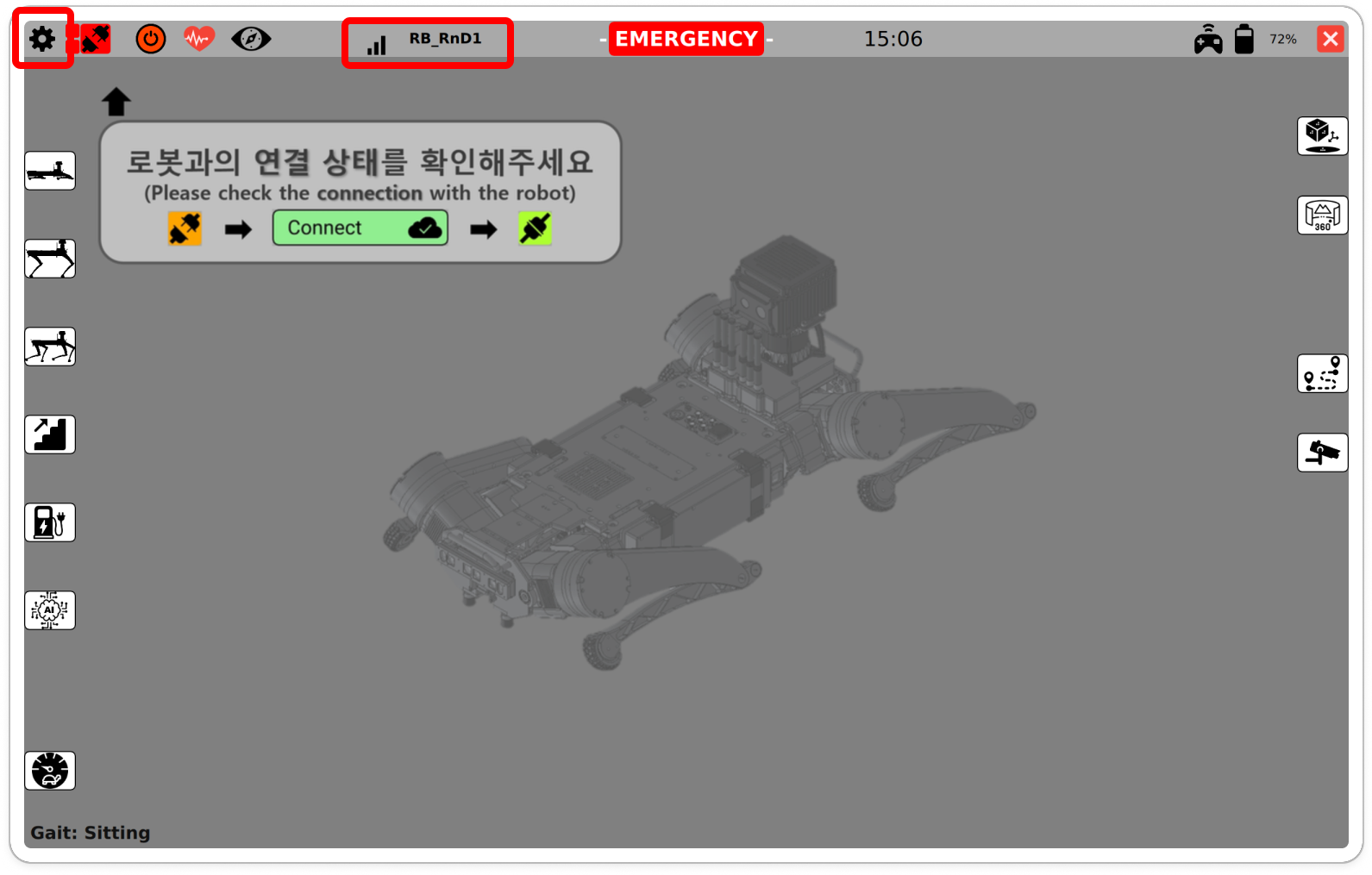
Check internet connection On the
Software Updatescreen, check the current GUI version (RBQGUI) and the available target versions.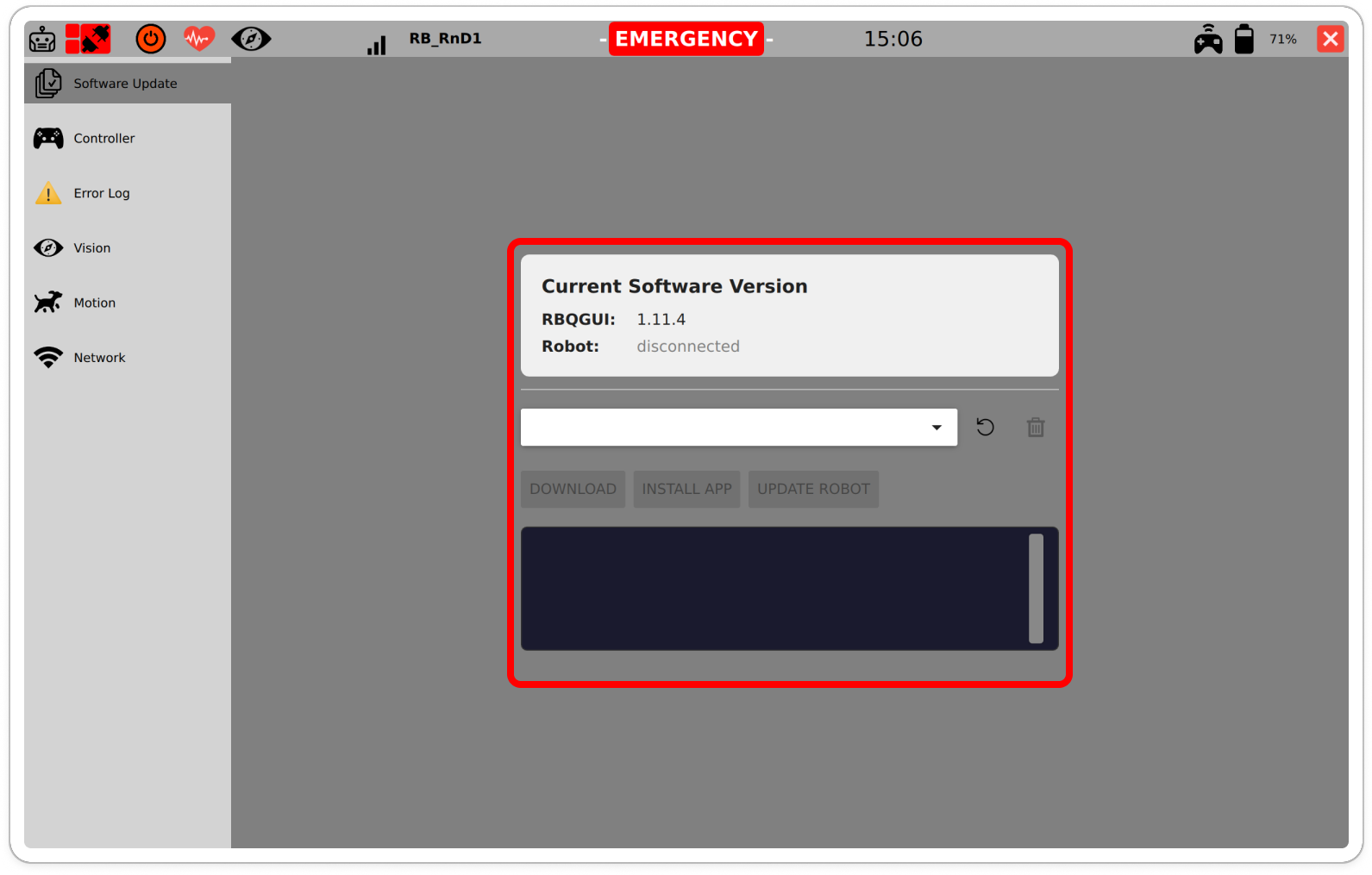
Current GUI / Target version Select the desired version from the dropdown and click
DOWNLOAD.
(Versions marked with a check mark are already downloaded.)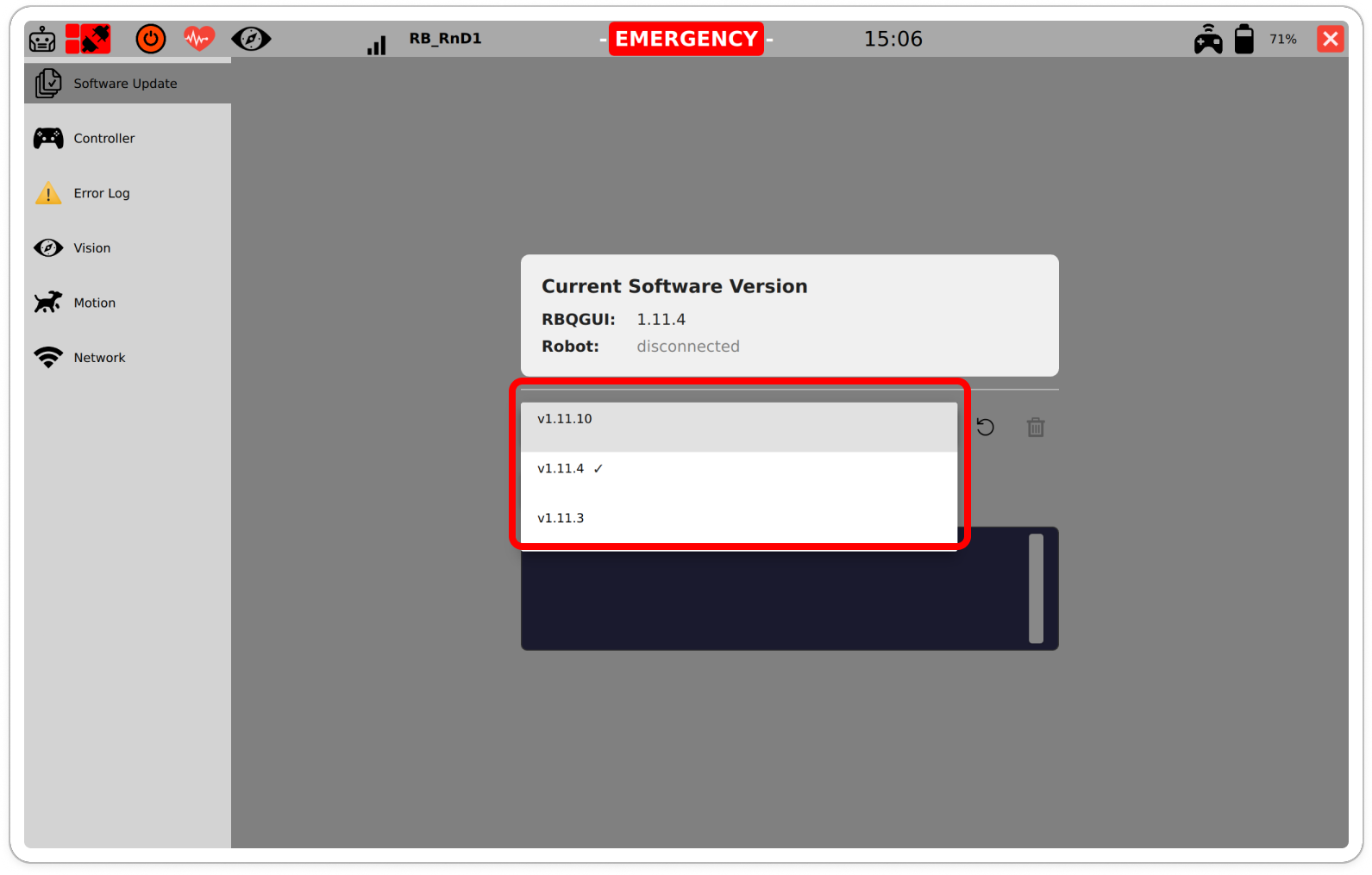
Select version 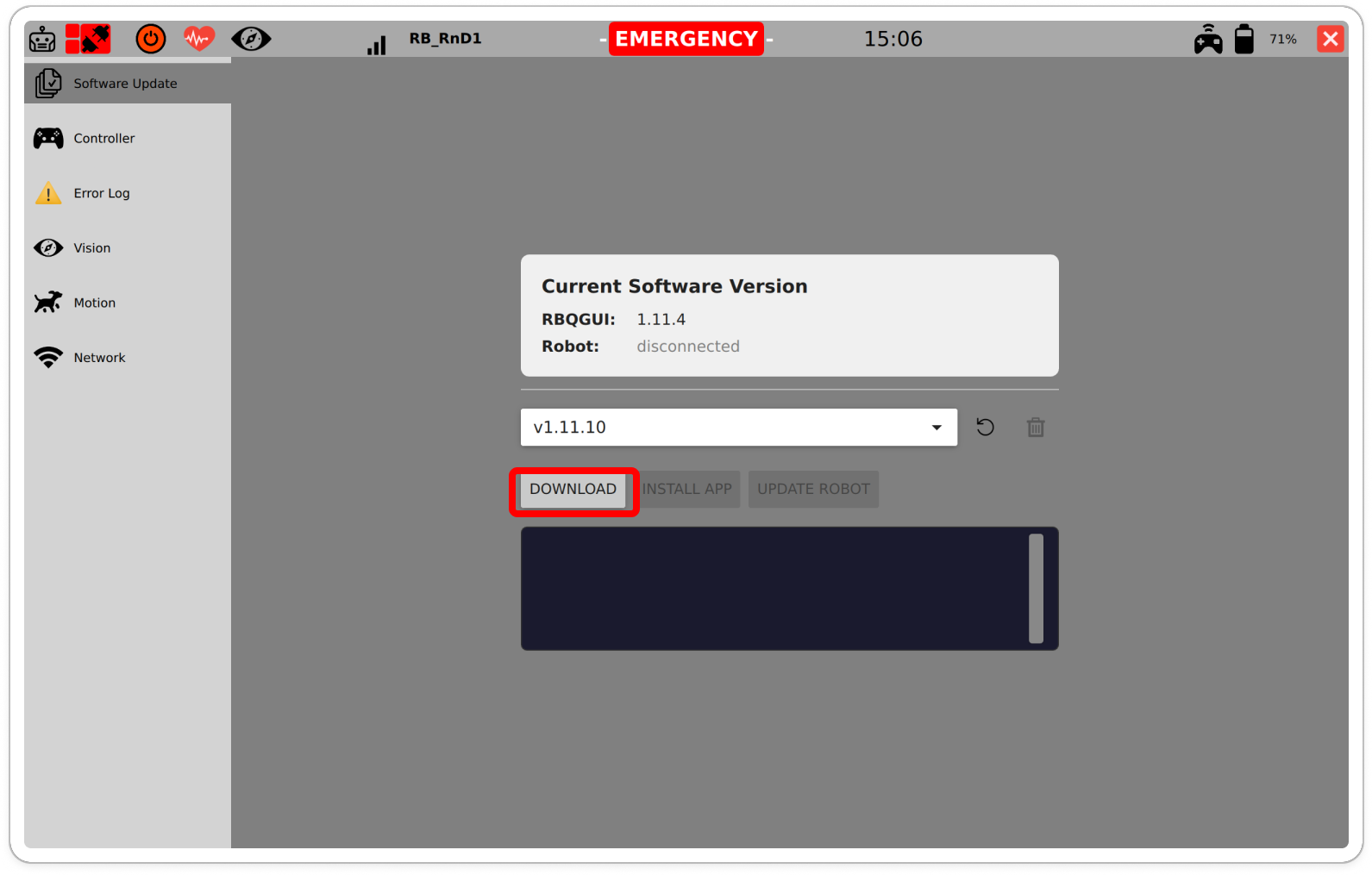
DOWNLOAD After downloading, click
INSTALL APP.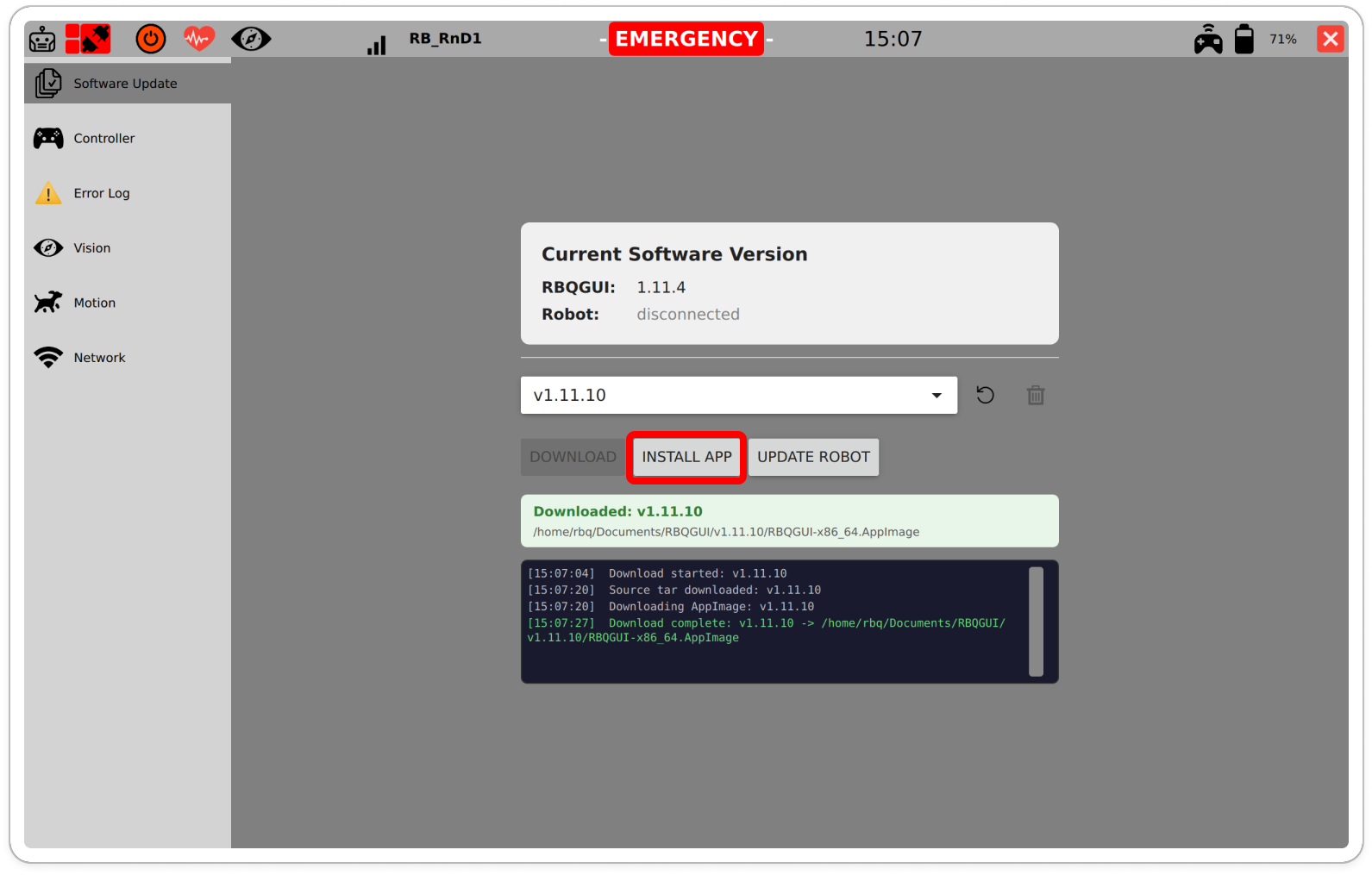
INSTALL APP After installation completes, the installation log is displayed.
Check the updated RBQGUI version on the screen.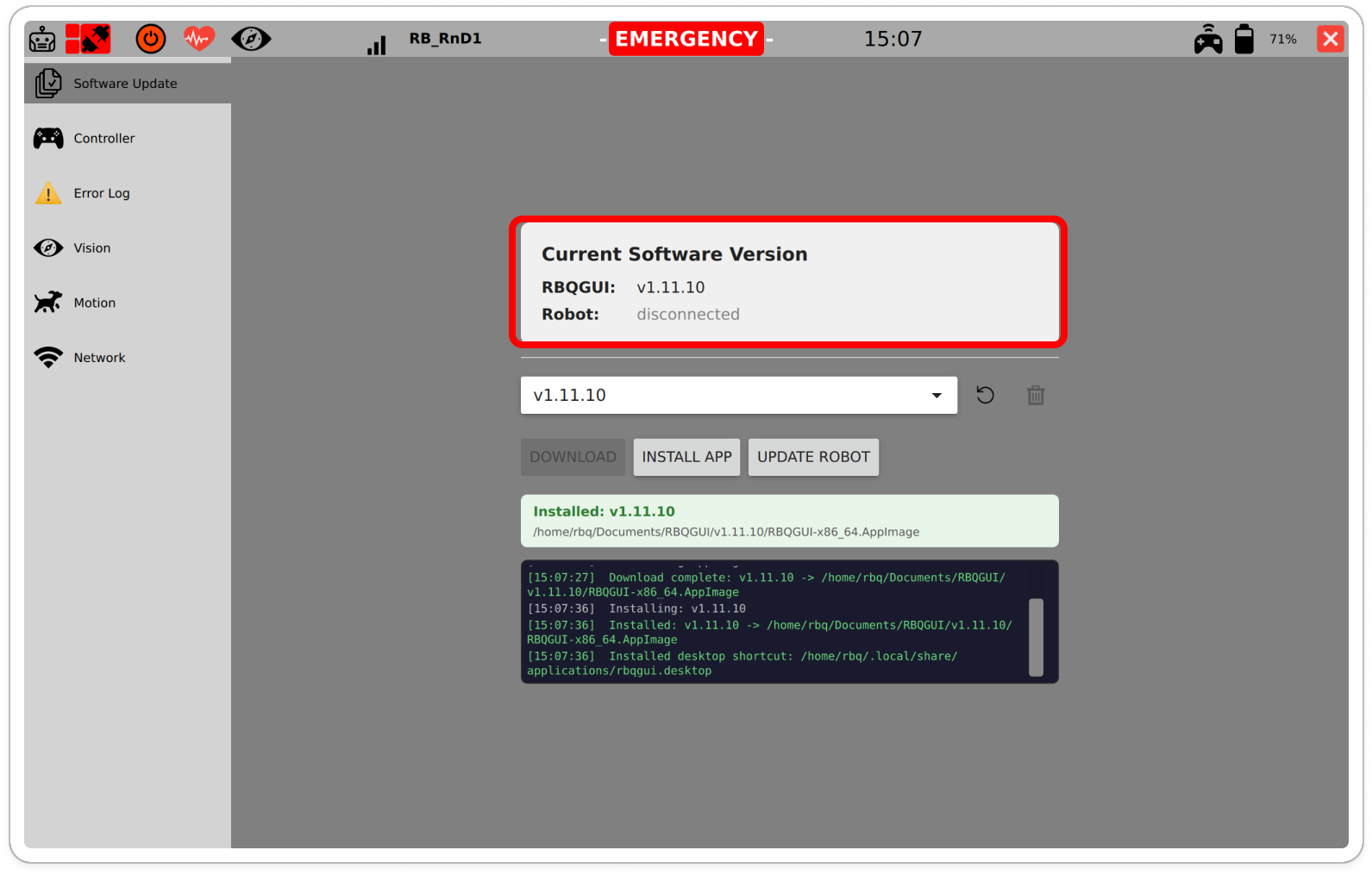
Installation complete
Notes / Warnings
- Check safety if
EMERGENCYis shown. - Updates can take time depending on the network condition.