
Robot Software Update
This page explains how to update robot software from RBQGUI.
On the
Software Updatescreen, check the current robot version and whetherUPDATE ROBOTis enabled. Make sure Wi-Fi is connected between the robot and RBQGUI.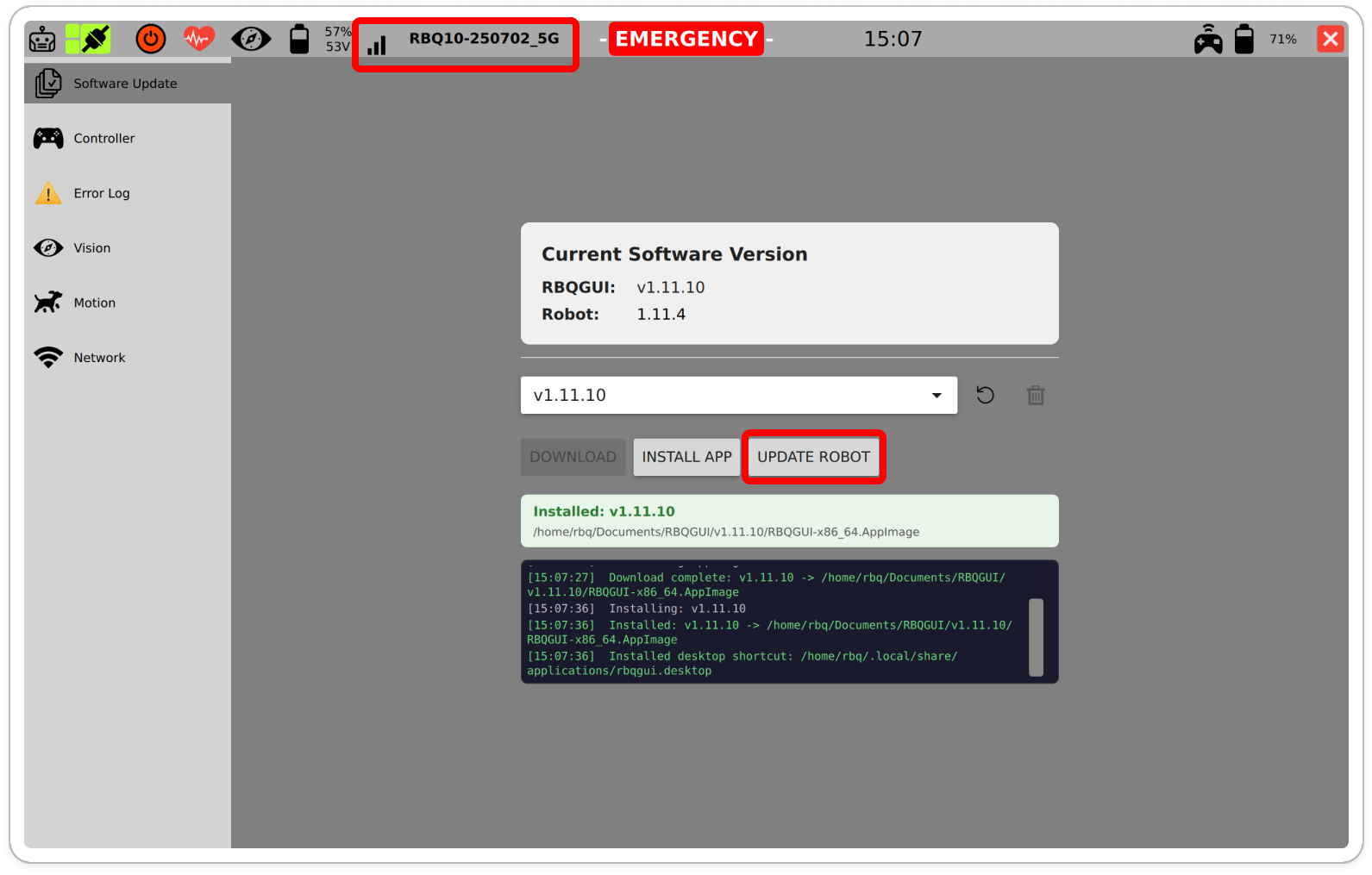
UPDATE ROBOT Transfer/install runs, and when finished, a success message and logs are shown.
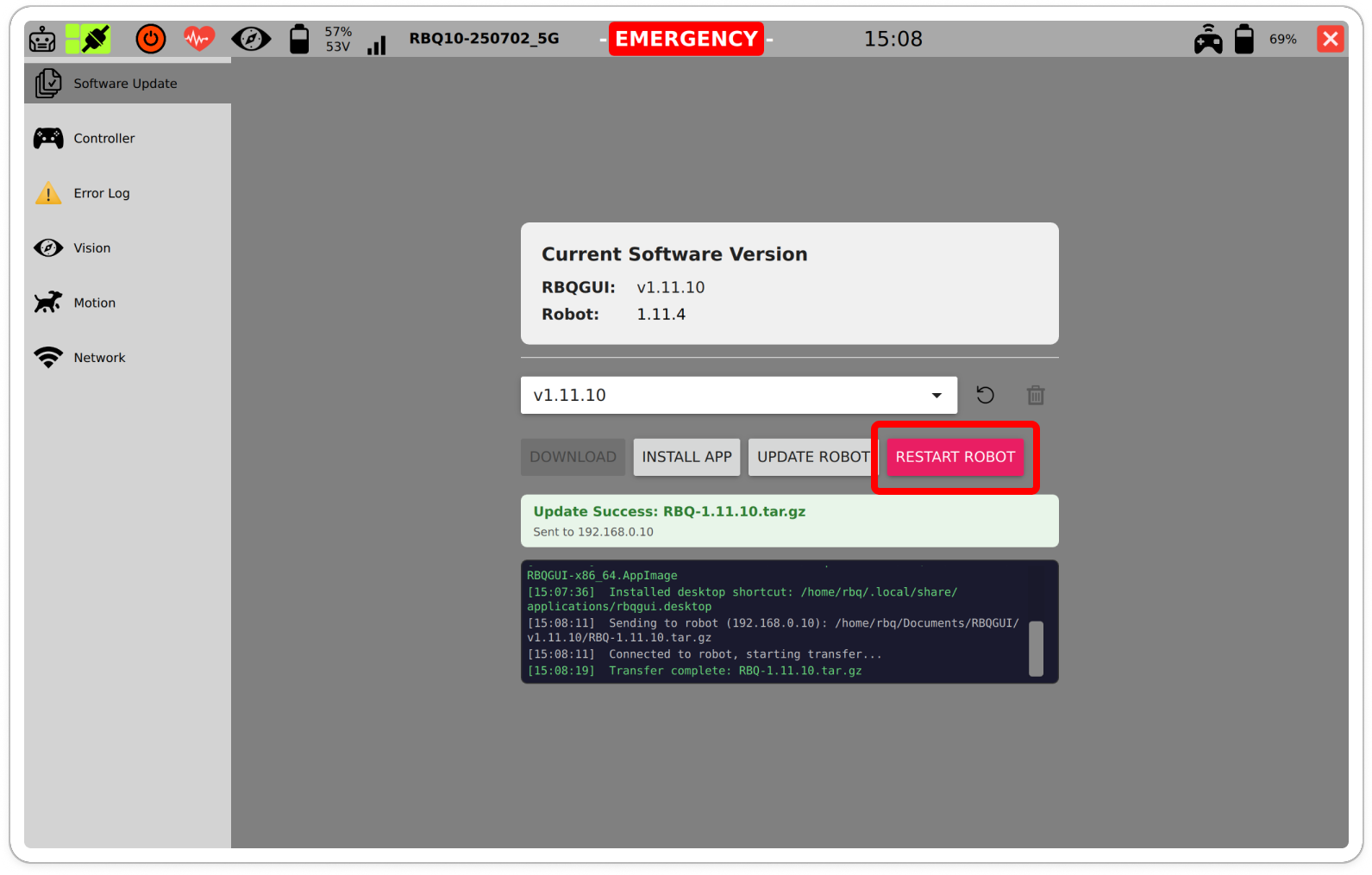
Update complete / logs A restart confirmation dialog will be shown.
The robot must be in sitting state, and you should not move the robot before restarting.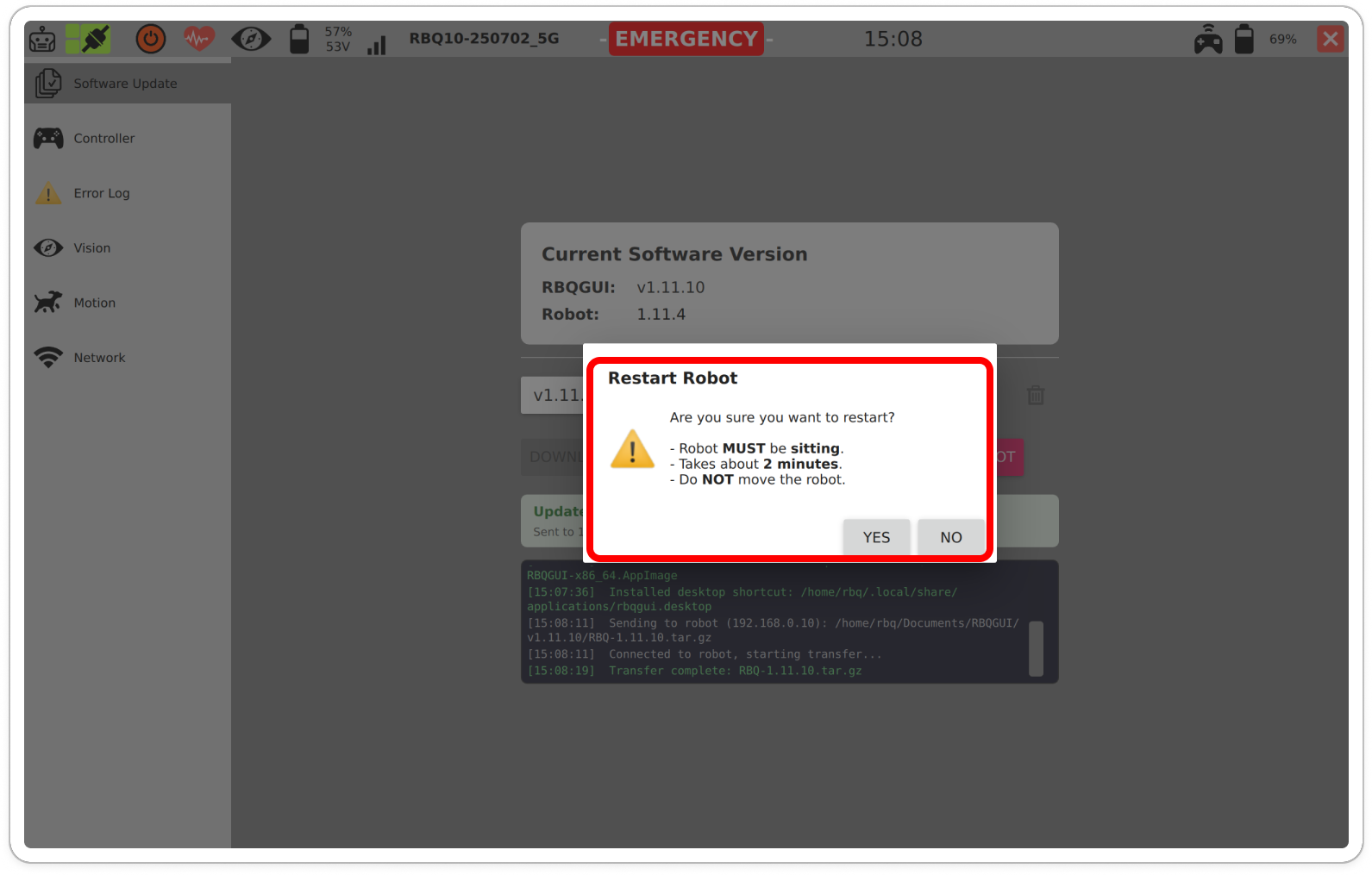
Restart Robot (YES/NO) After restart, the Robot version is displayed as the updated value.
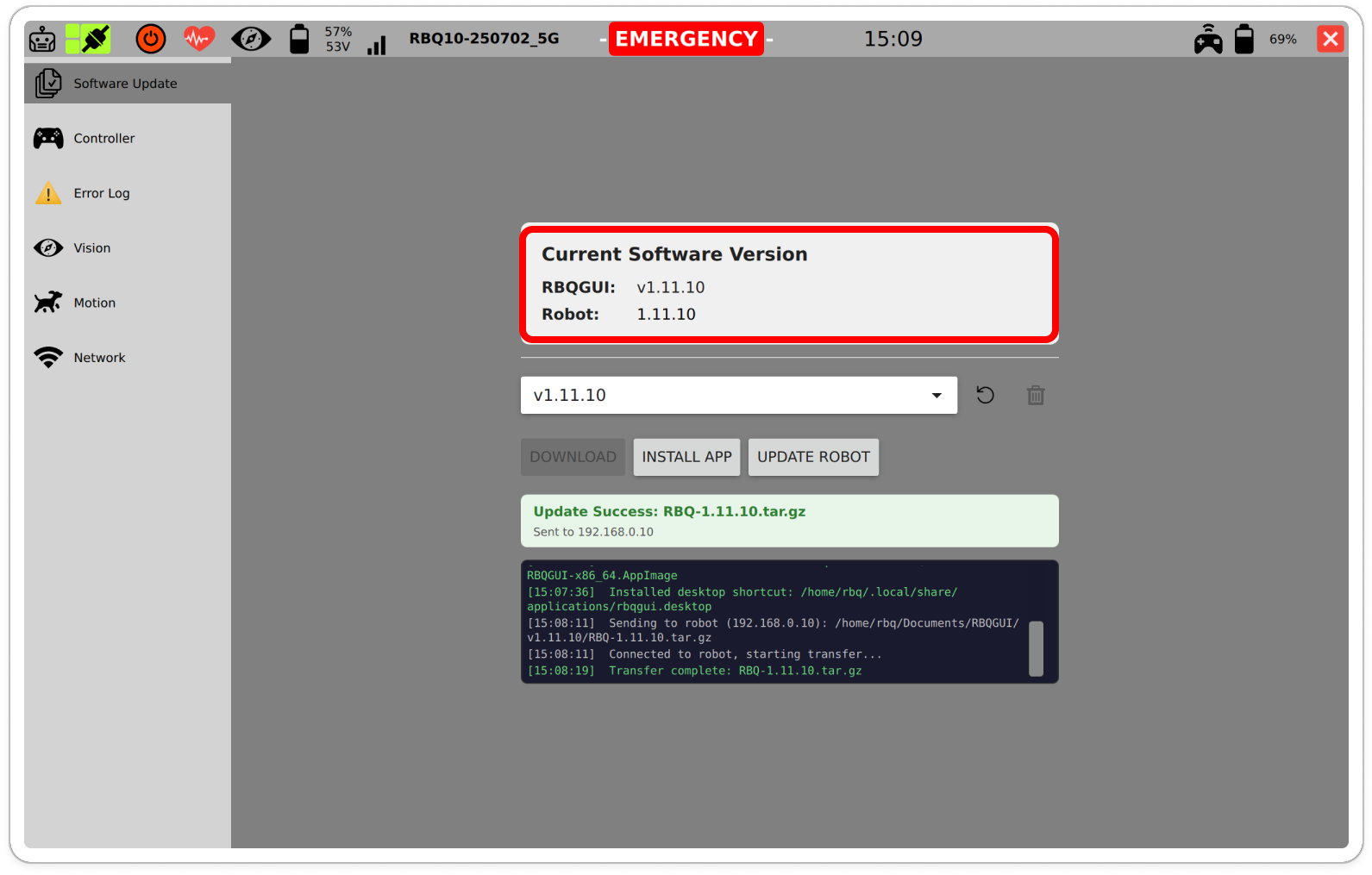
Update complete confirmation
Notes / Warnings
- Check safety if
EMERGENCYis shown. - Updates can take time depending on the network condition.