
DQ Calibration
Use DQ ALIGN to reset the encoder zero reference after replacing a joint board, joint module, or whenever the encoder zero has shifted.
Caution
The target joint will move slightly when DQ ALIGN is executed. Keep people and obstacles clear of the robot, and ensure the robot is sitting stably on the floor before proceeding.
Prerequisites
- RBQ GUI (PC application) connected to the robot
- Robot in a sitting pose, with the joint to be calibrated able to move slightly
Procedure
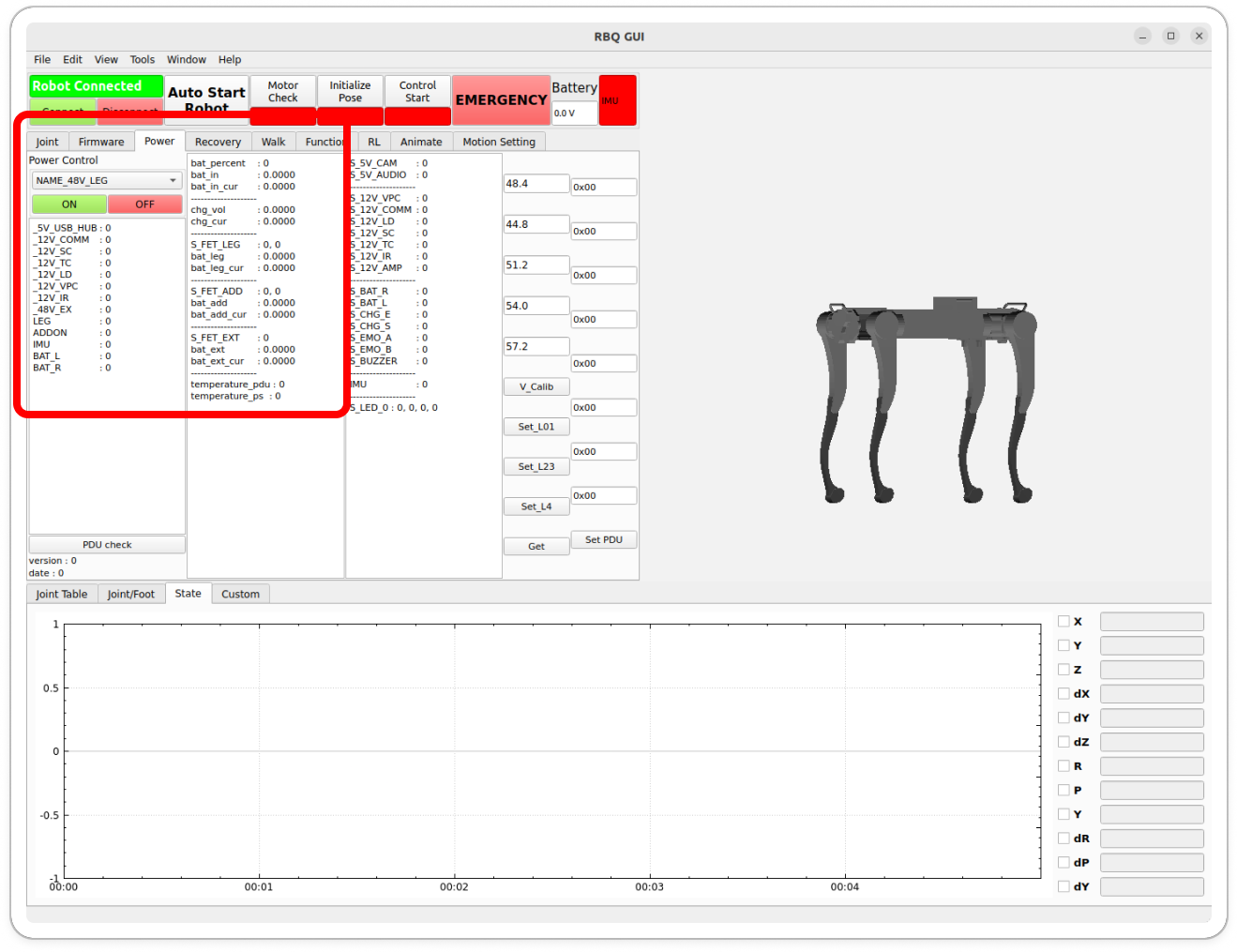
1. Turn on LEG power
Select the Power tab at the top and turn LEG power ON.
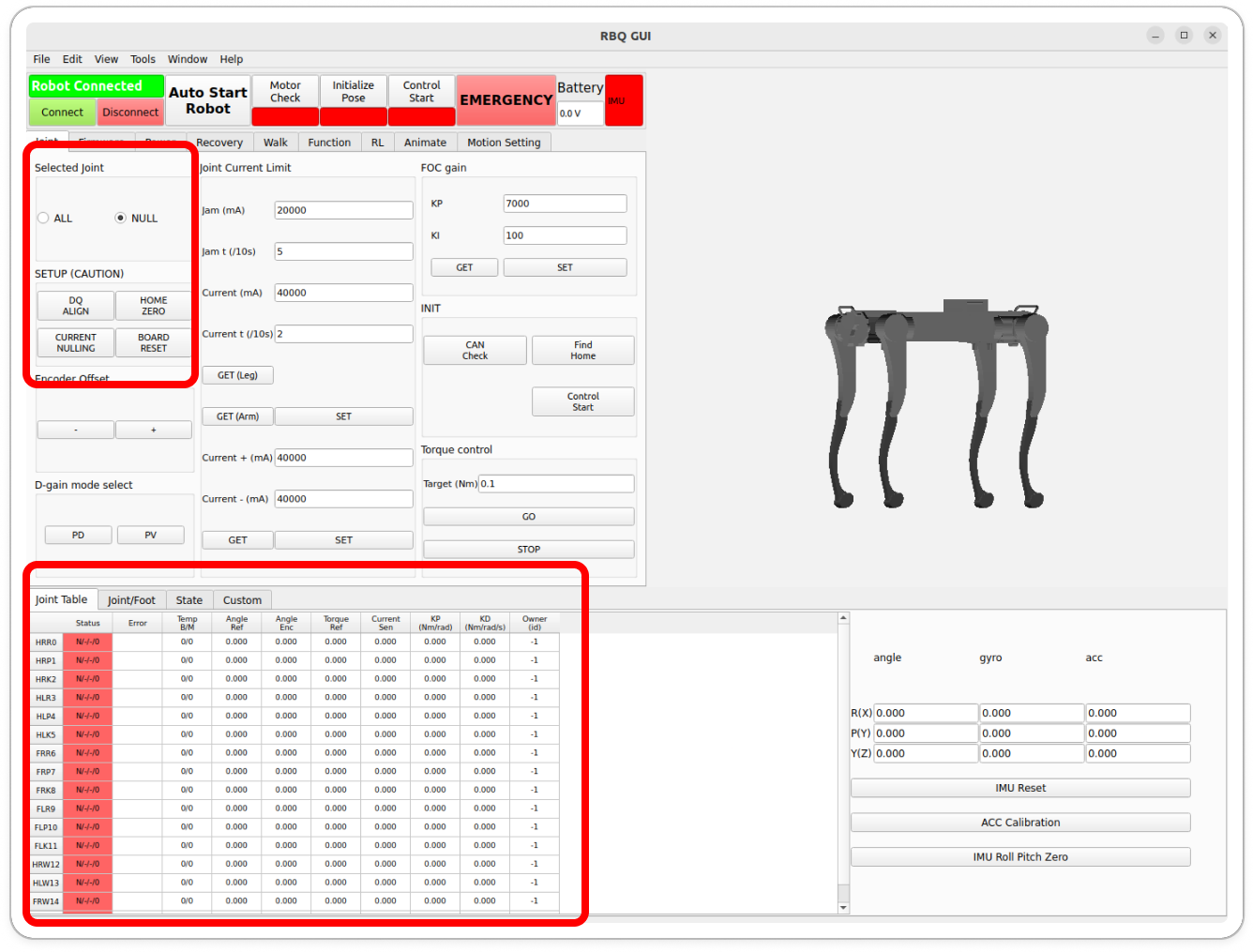
2. Open the joint table
Click View → Show Bottom Bar in the top menu bar. The joint table will appear at the bottom of the screen.
3. Go to the Joint tab
Select the Joint tab at the top.
4. Run DQ ALIGN
- Select the joint to calibrate in Selected joint or the Joint table.
- Click the DQ ALIGN button.
- The joint will move slightly as it finds the encoder zero.
- Click BOARD RESET to reset the board.
5. Repeat for remaining joints
Repeat step 4 for every joint that requires calibration.
Confirm calibration
When the Angle value in the joint table shows a normal range, calibration is complete. The robot can then proceed through the normal Auto Start Robot sequence.
When is this needed?
| Situation | DQ Calibration required |
|---|---|
| After replacing a joint board | Yes |
| After replacing a full joint module | Yes |
| Find Home fails repeatedly | Possibly |
| A joint shows an abnormal angle after initialization | Possibly |
| Normal operation | Not needed |