
Calibration & Tuning
You can perform ZMP calibration and various tuning in the app to improve the robot's walking stability and performance.
ZMP Calibration
ZMP (Zero Moment Point) calibration aligns the center of ground reaction force while the robot is standing, so the robot can maintain balance during walking.
Preparation
- Place the robot on a flat, solid surface.
- Ensure there are no obstacles around the robot.
- The RBQGUI app must be connected to the robot.
Procedure
- Launch the RBQGUI app and connect to the robot.
- Set the robot to Stance (standing) mode.
- Press and hold the Sit button.
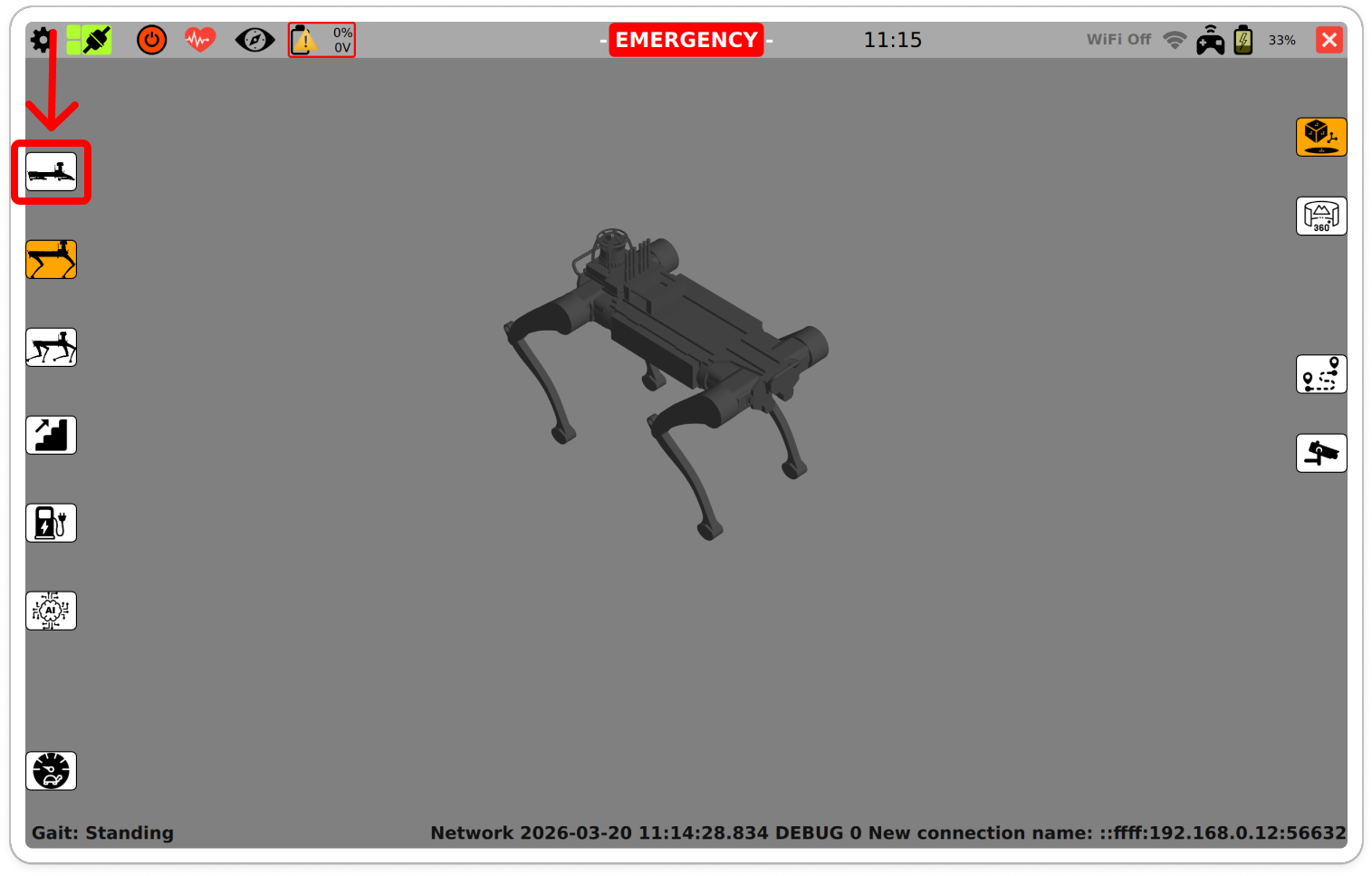
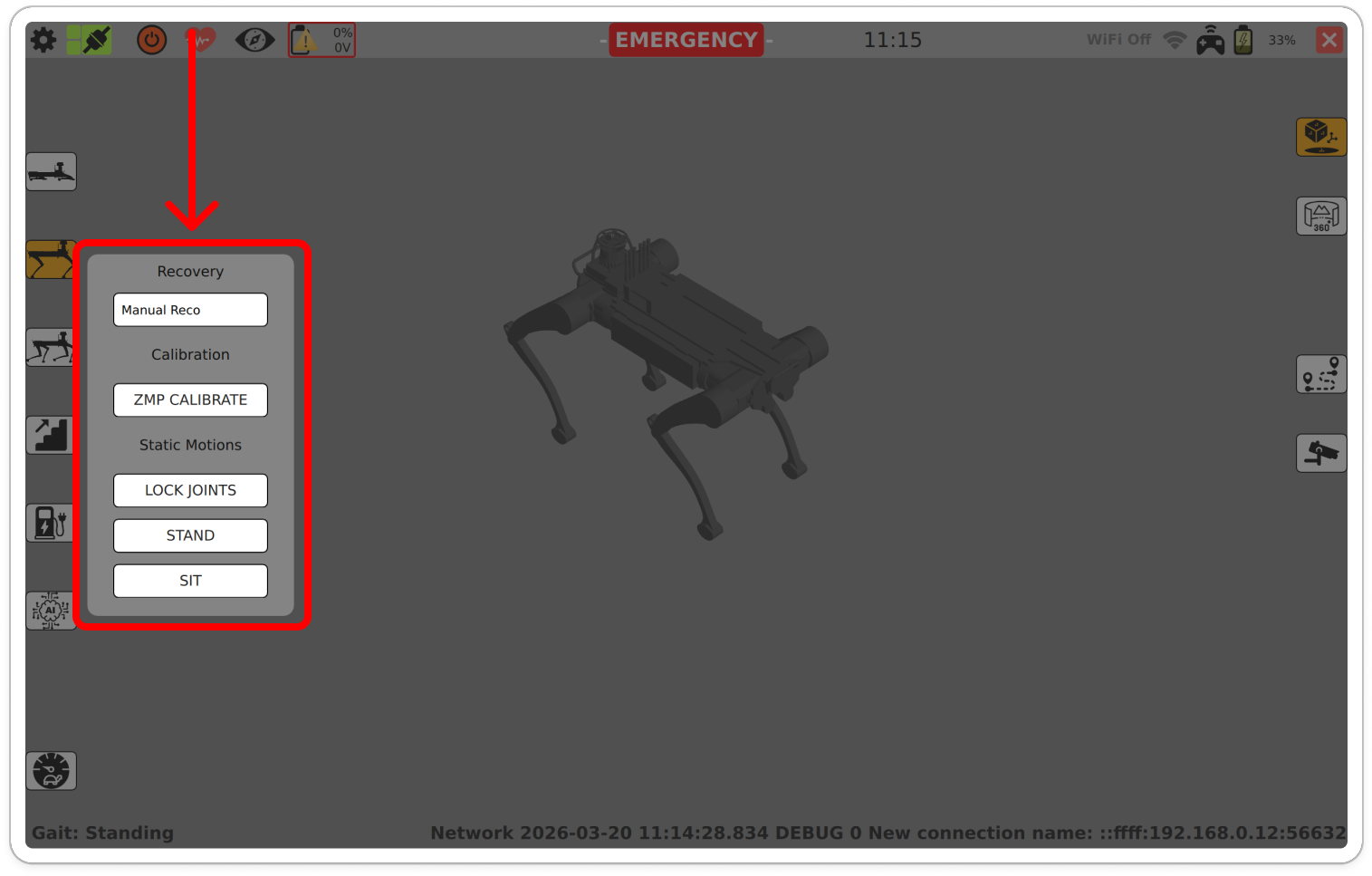
- In the menu, select the ZMP CALIBRATE button.
- When the button turns orange, calibration is in progress.
- Do not touch the robot until calibration is complete.
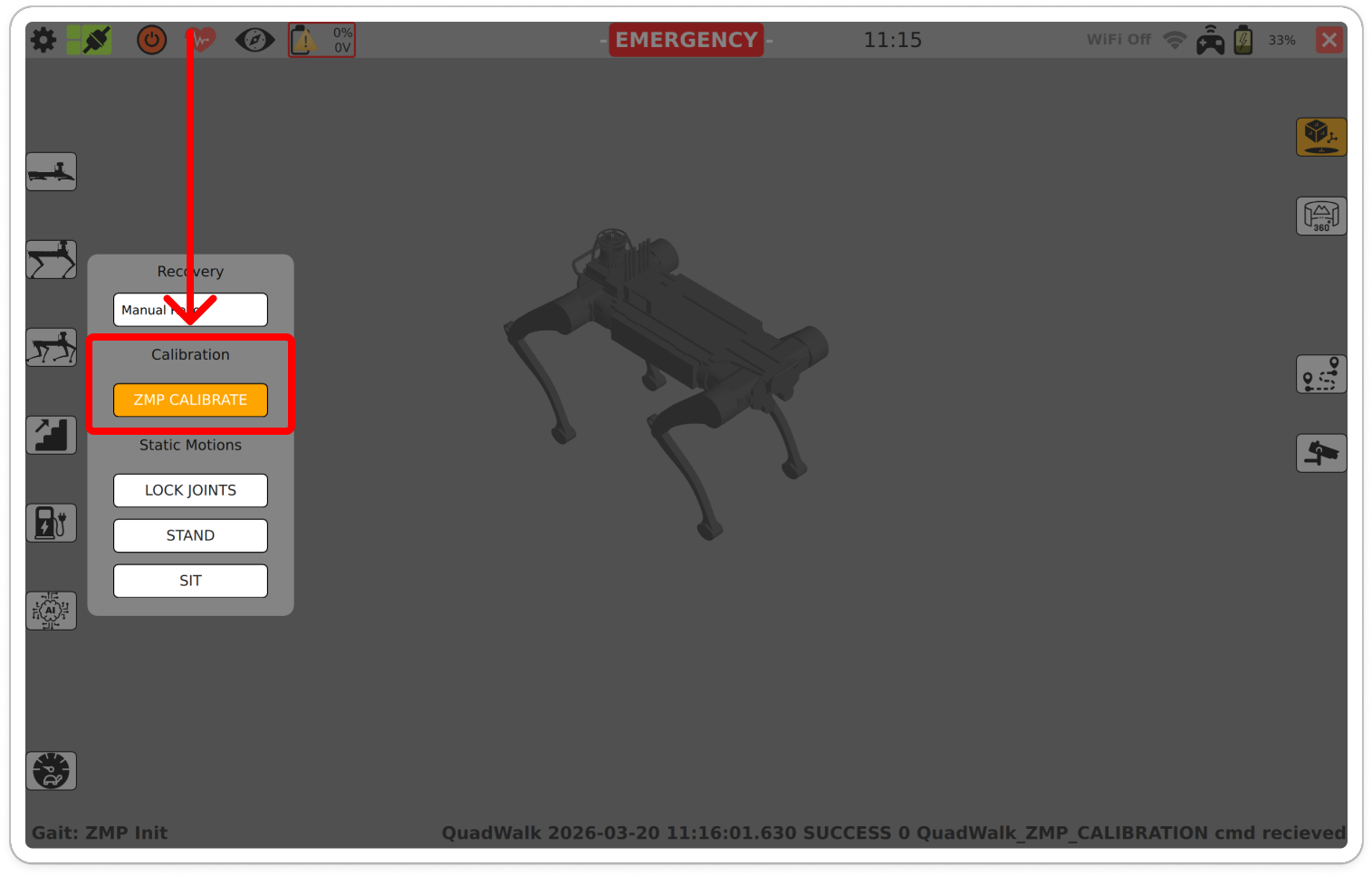
- When the button returns to white (default) and the display shows Gait: Stance, calibration is complete.
- Move the robot and verify that the operation is normal.
CAUTION
Do not place objects on the robot or push the robot during calibration. If calibration fails, you may need to run it again.