Hardware Handling
Precautions
⚠️Disconnecting MOCO Cable
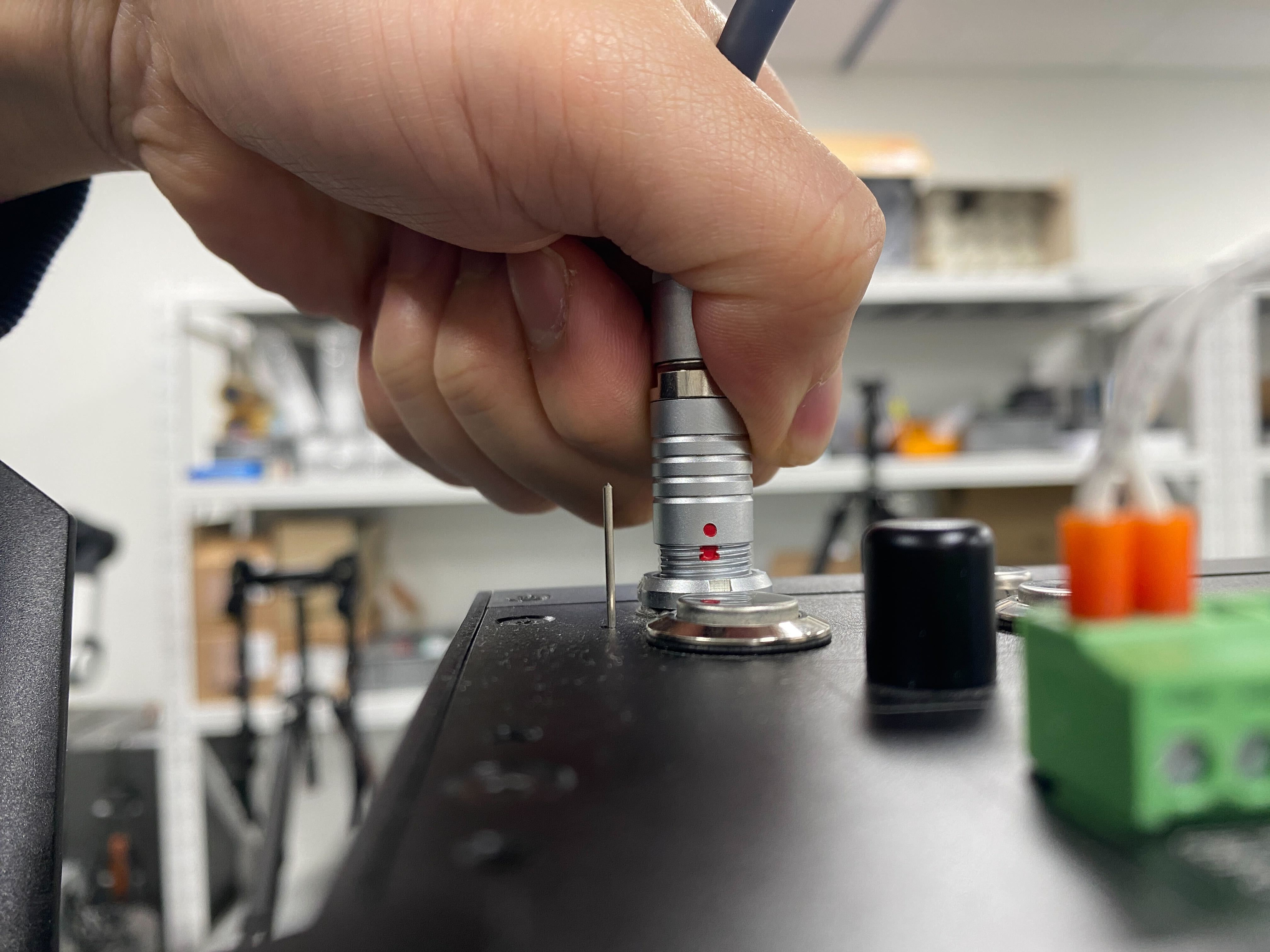
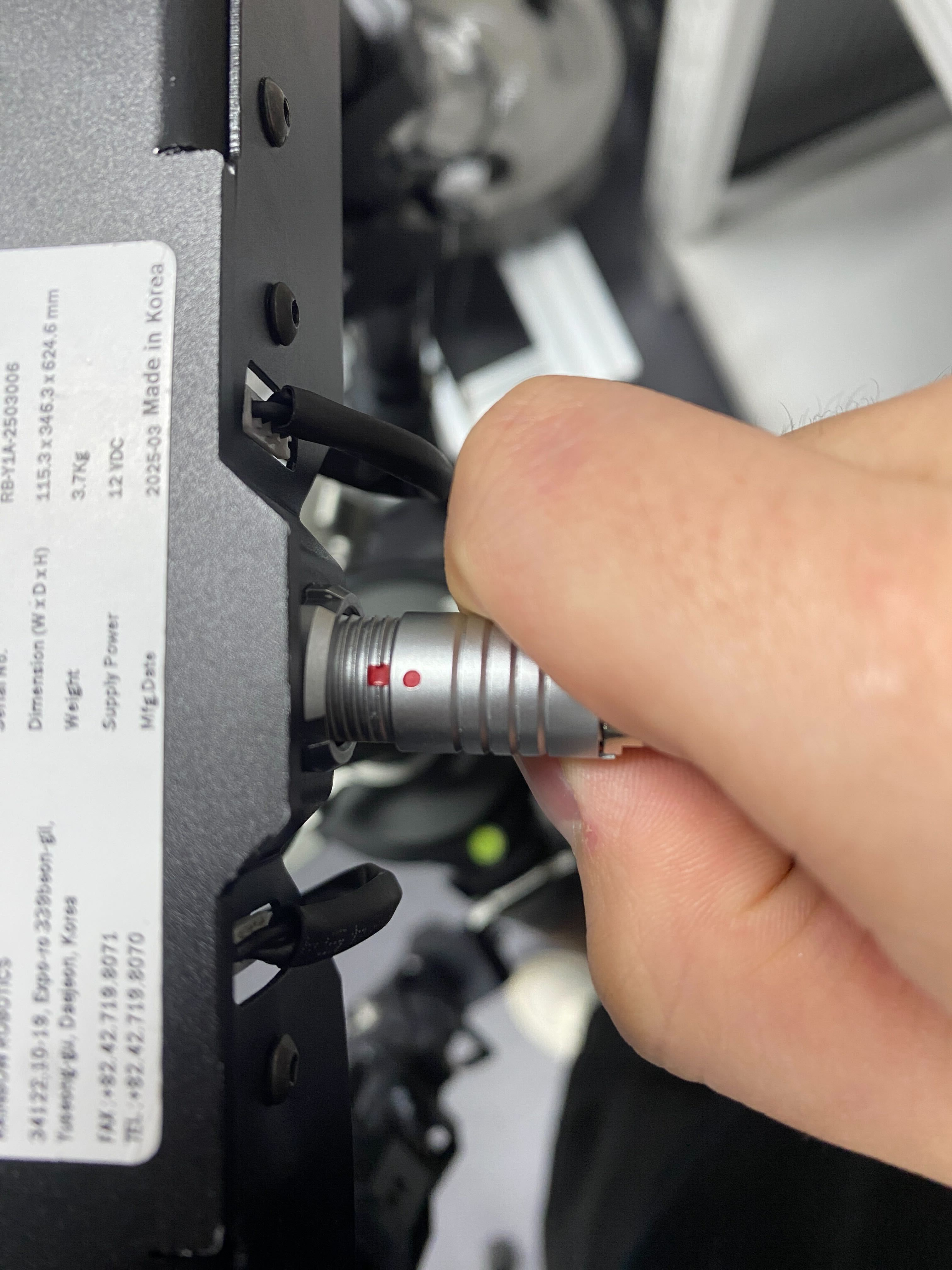
Both the RBY1 packback and the Leader Arm have a MOCO cable port.
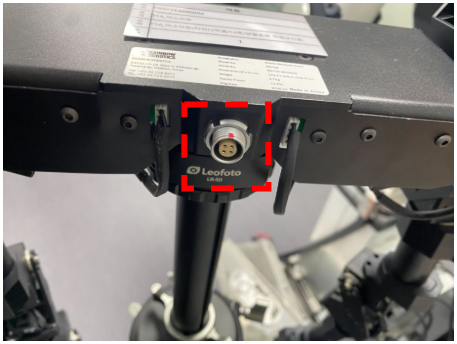
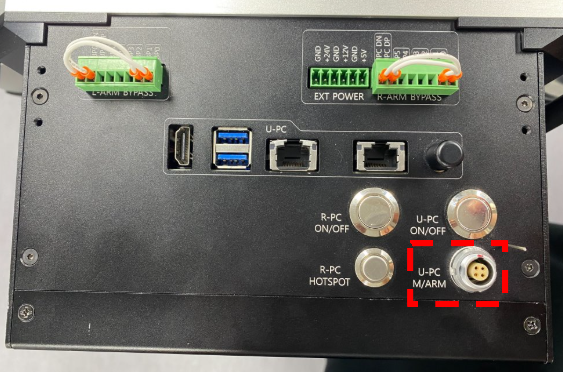
When connecting the MOCO cable to the RBY1 packback or the Leader Arm, align the red dot on the cable housing with the red square on each port so that they are in line before insertion.
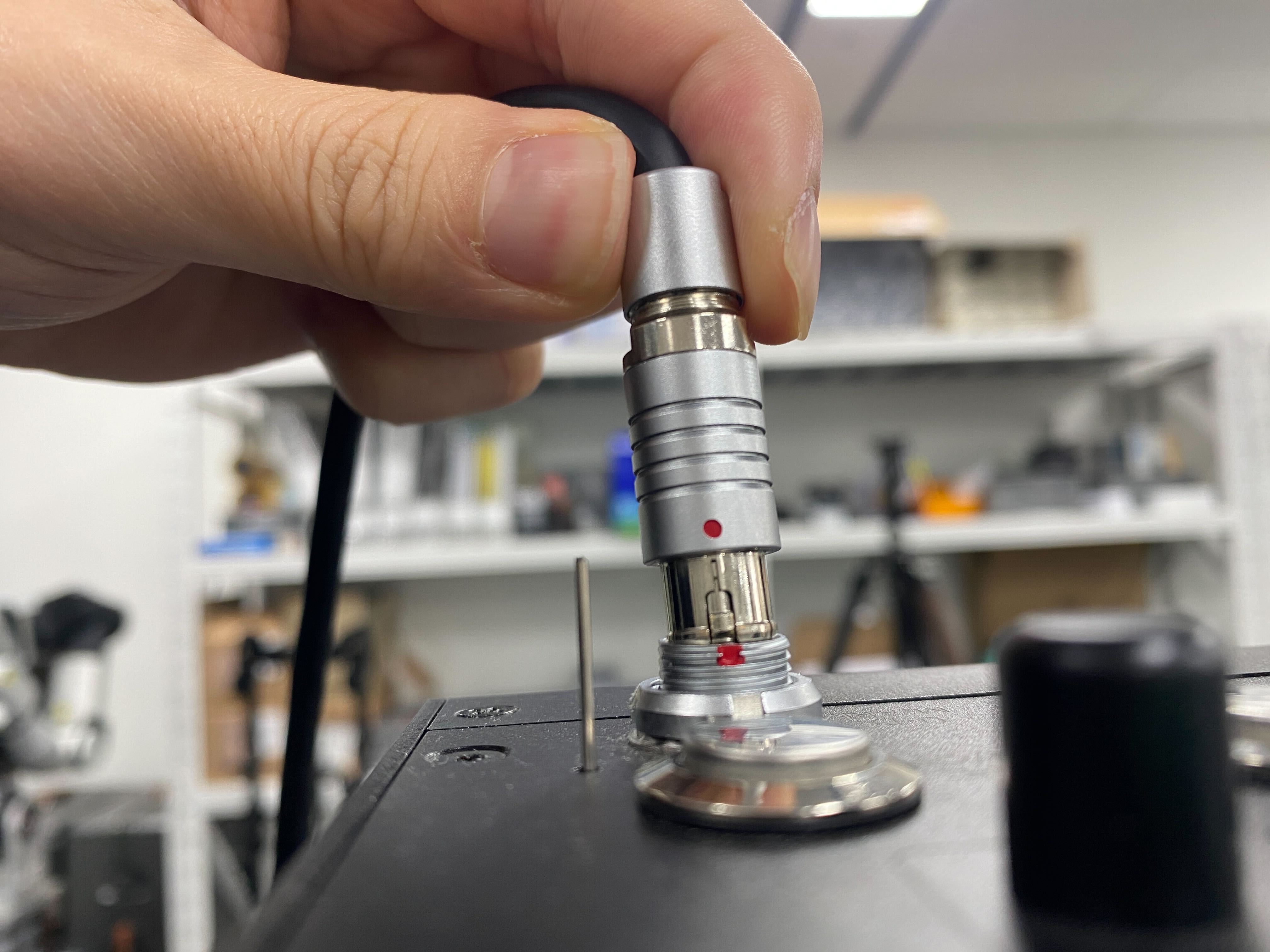
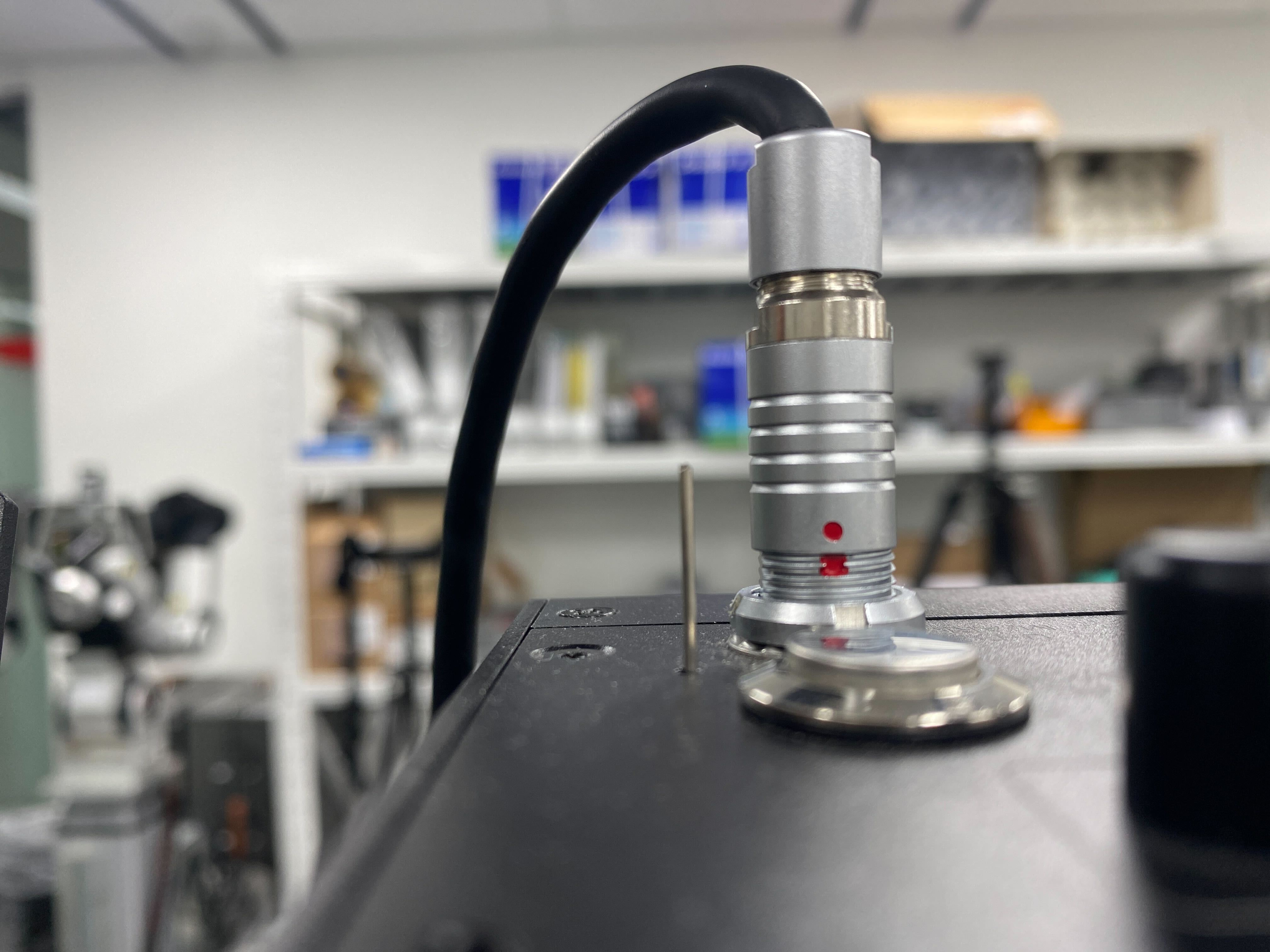
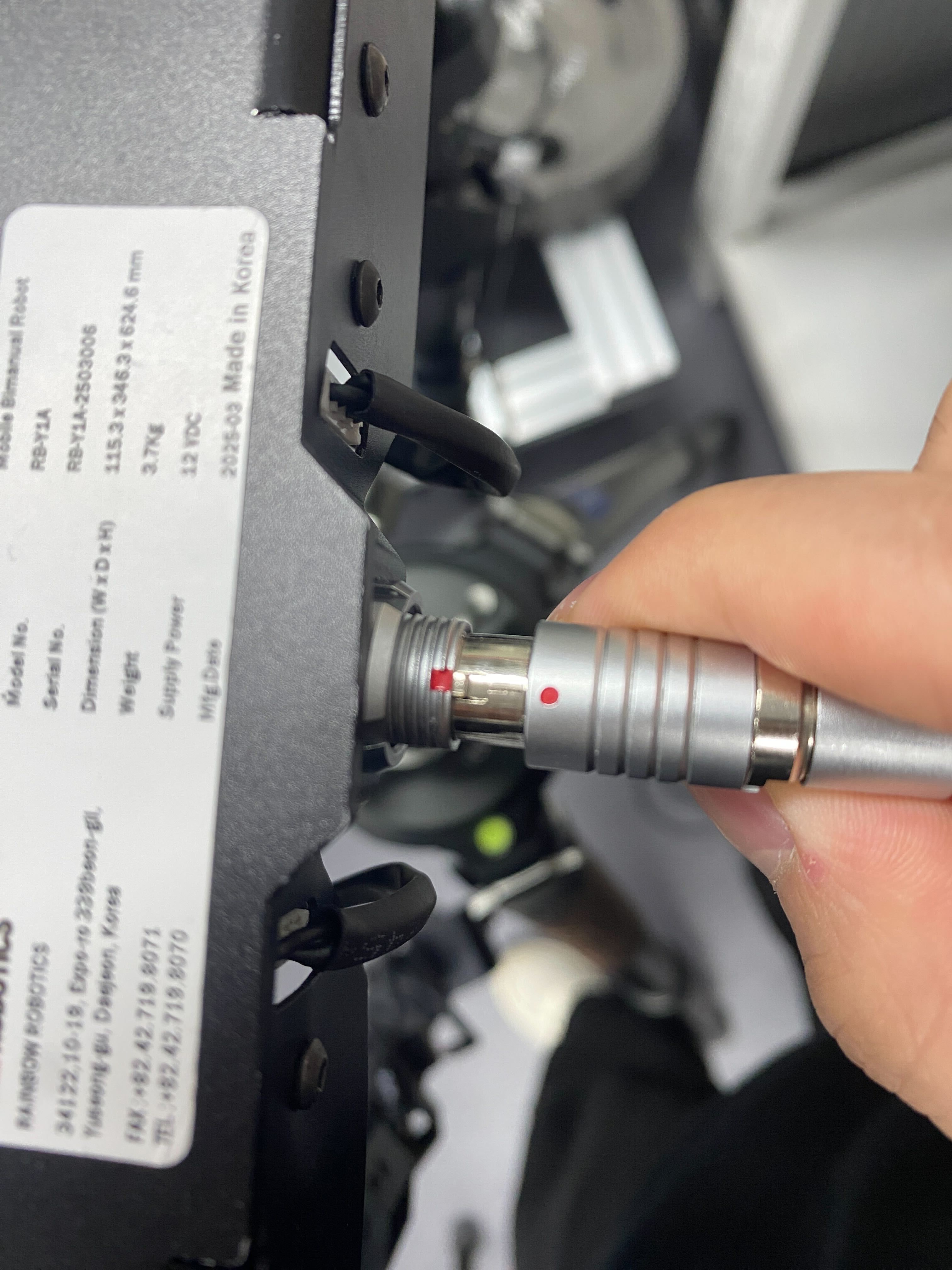
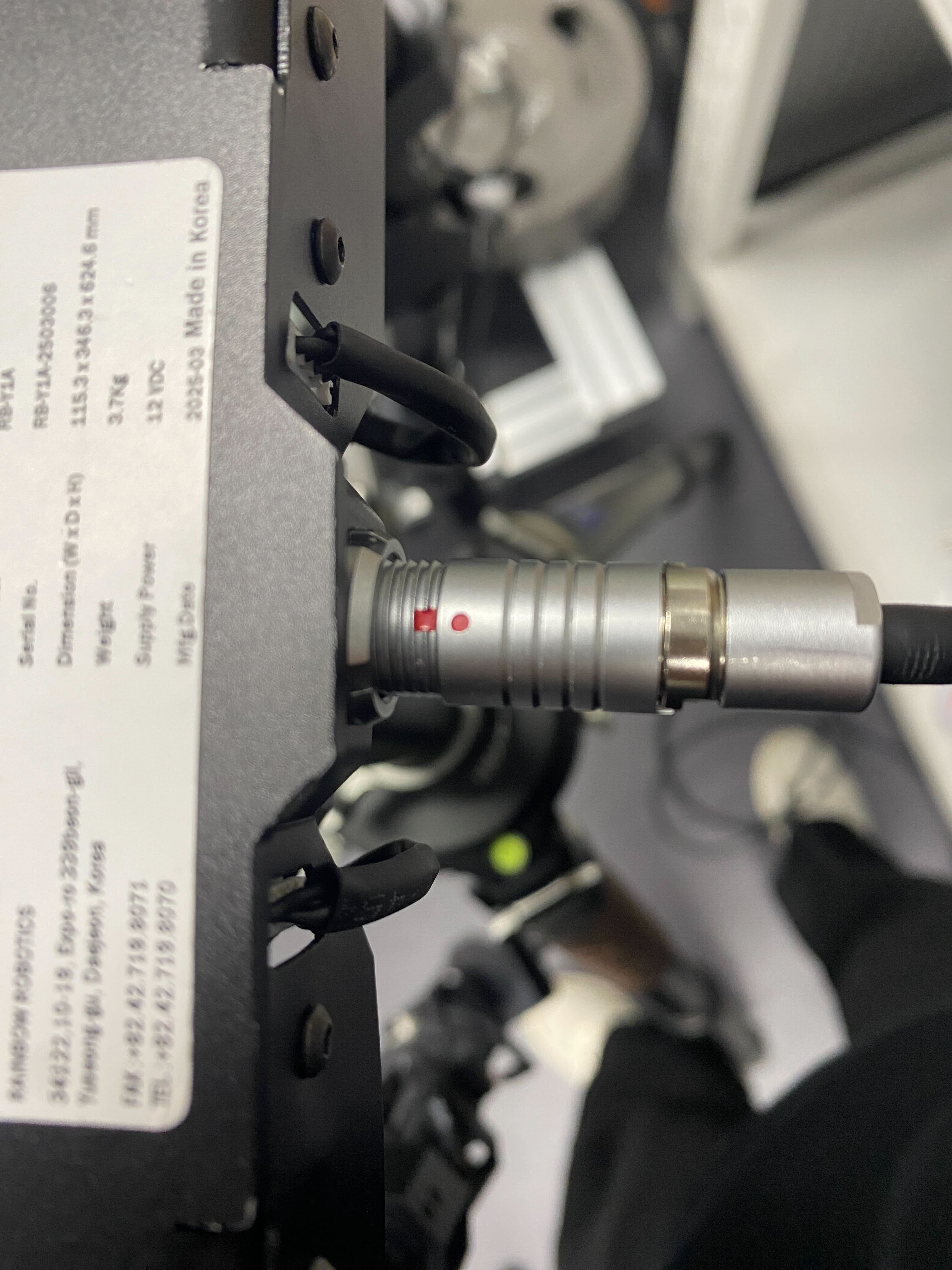
When disconnecting the MOCO cable, do not pull on the cable itself
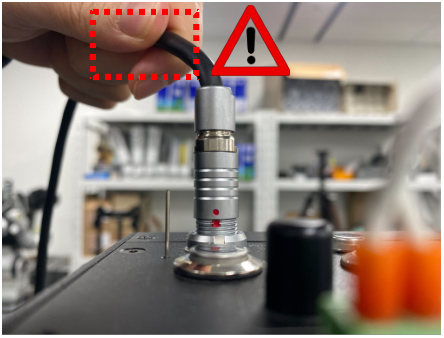
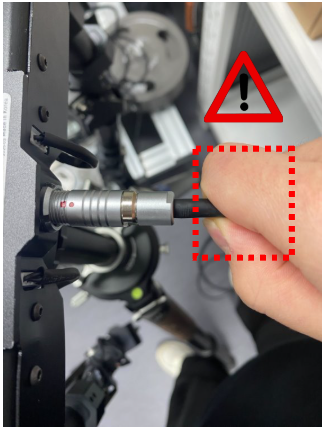
Always hold the connector housing when removing the cable
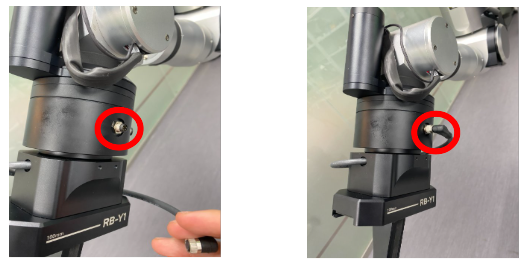
⚠️Preventing Damage to the Tool Flange Connector
Ensure the connector is properly aligned with the keyway (groove) before insertion.
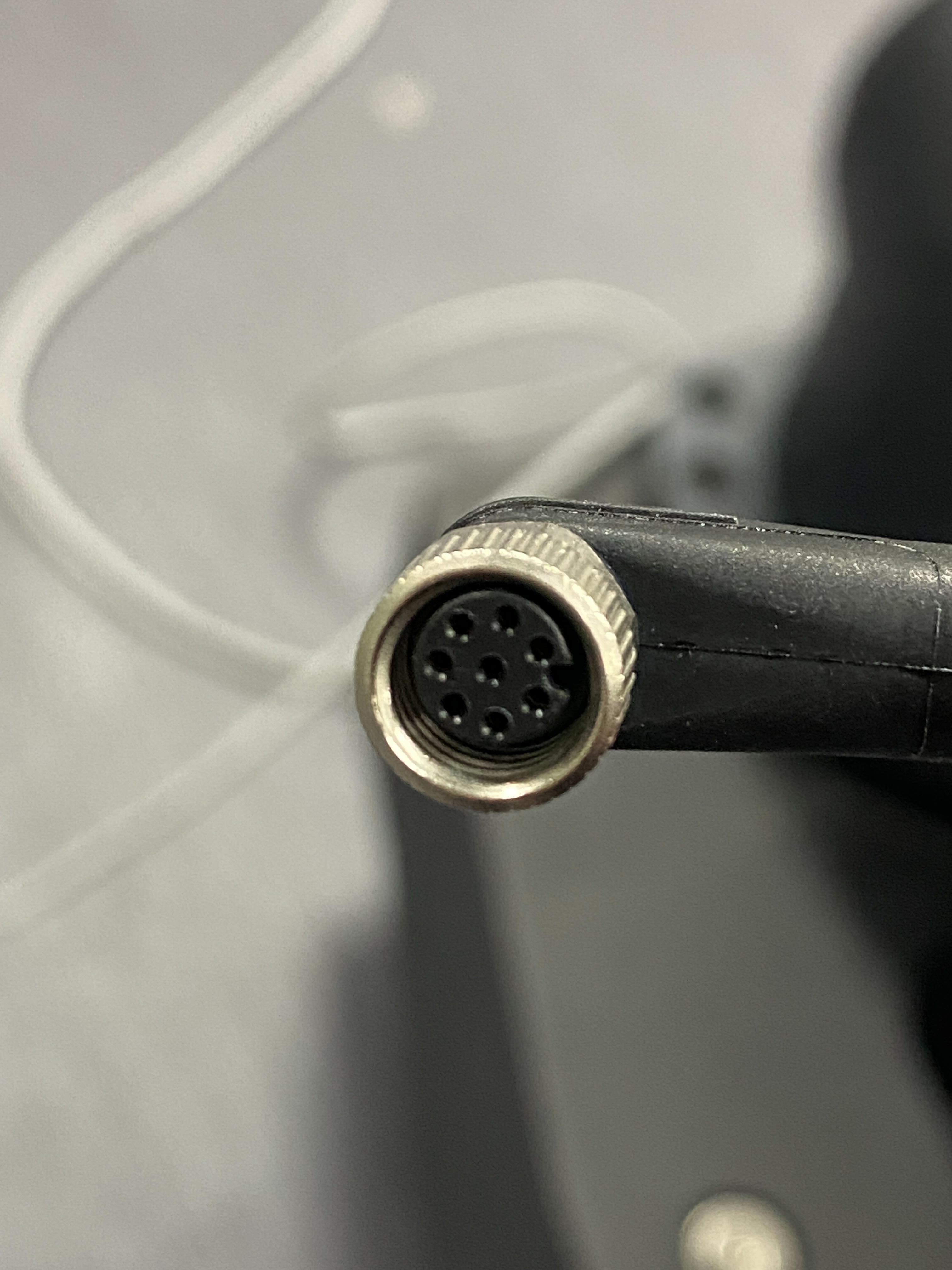
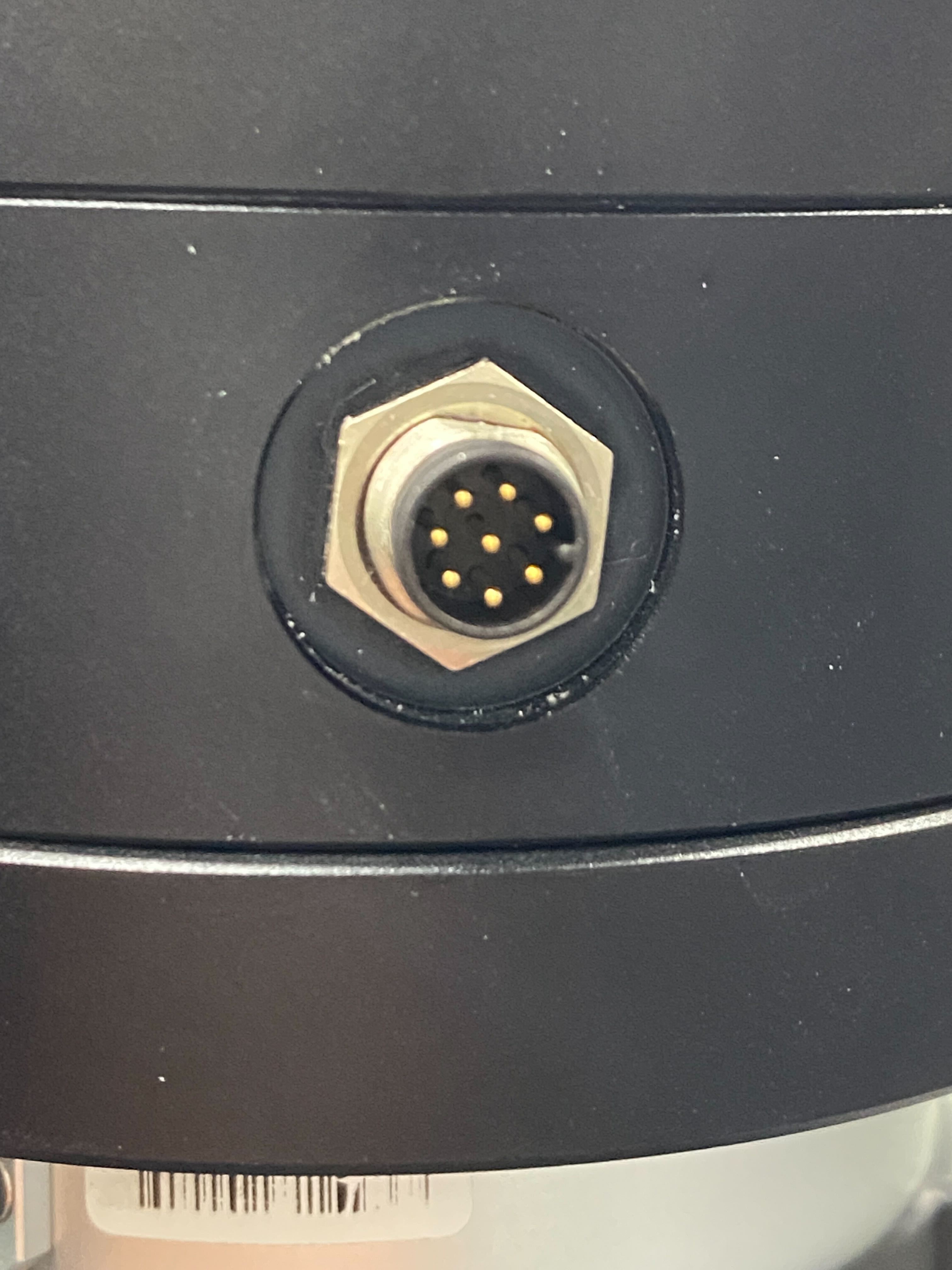
Do not force the connection, as this may cause damage to the connector.
⚠️Gripper Power Specification (12V)
The RB gripper operates on 12V power.
Do not apply 24V through the tool flange when using the standard gripper, as this may cause permanent damage.
