Power & Battery
Precautions
⚠️Before moving the mobile, make sure to check that the charger is disconnected.
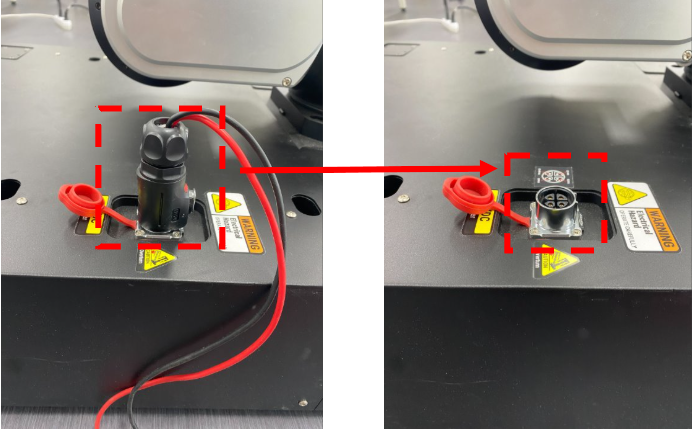
⚠️Disconnect Battery connector During Long-Term Inactivity
Open the front cover to access the battery connector.
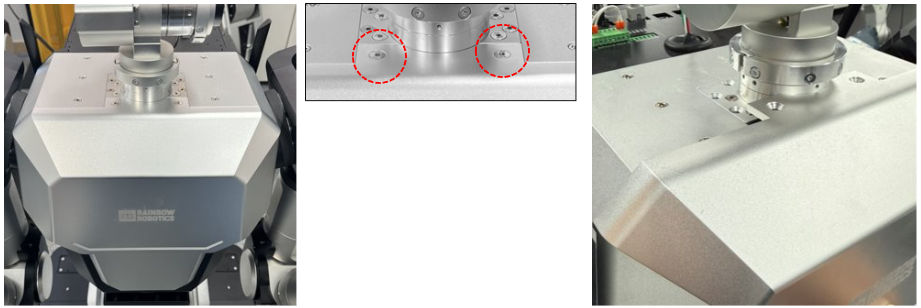
If the robot is not used for an extended period, disconnect the battery connector to prevent battery discharge.
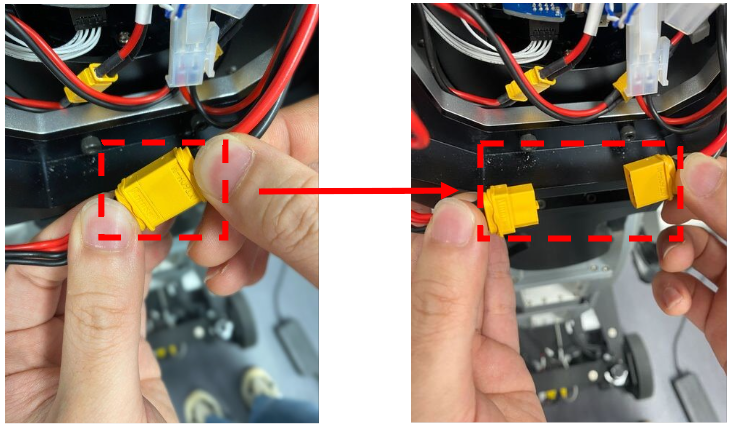
Before using the robot again, ensure that the battery connector is properly reconnected before powering on.
⚠️Back EMF Risk When Moving Robot (Power OFF)
If you move the mobile robot by applying force manually, back EMF may be generated.
Avoid applying force to move the robot when the power is OFF.
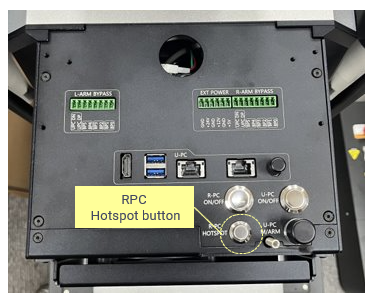
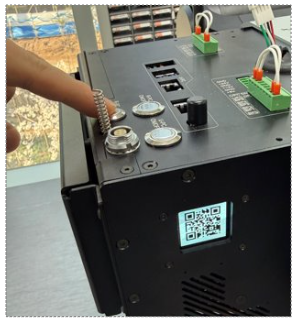
We recommend pressing the RPC hotspot button, connecting to RBY1 Wi-Fi via the QR code, and controlling mobile movement with your phone. (Hotspot And Web UI)
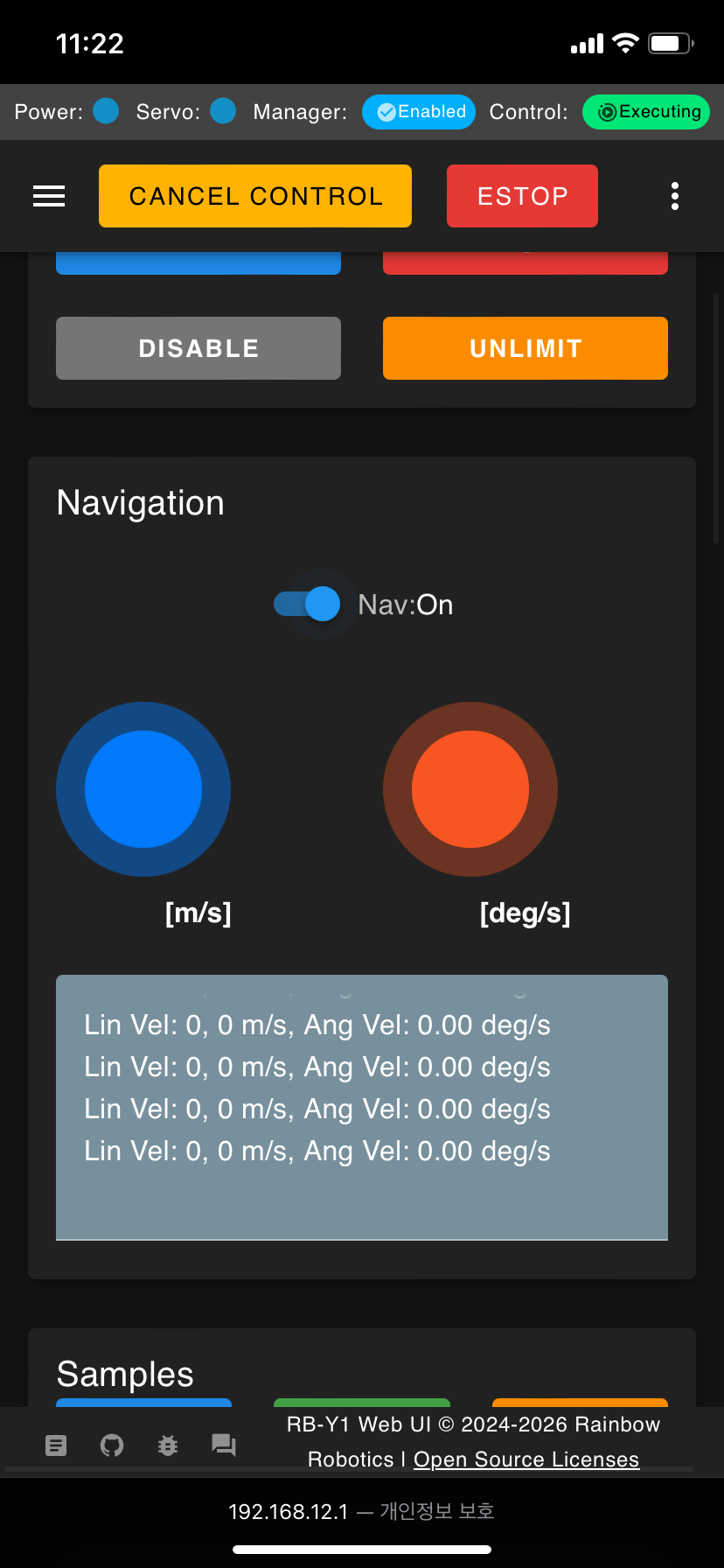
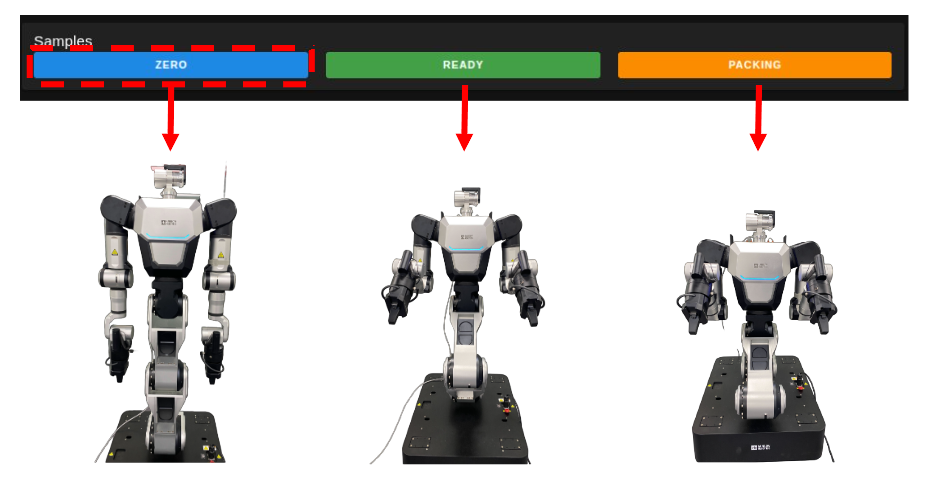
⚠️When finishing operation, move the robot to the Zero Pose, then disable the Control Manager and power off the system.
Move to zero pose in the Web UI.
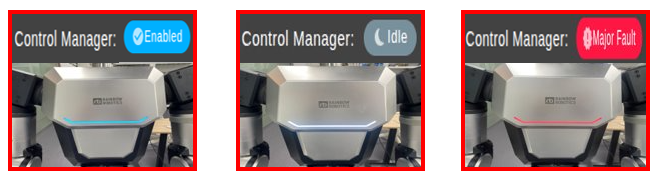
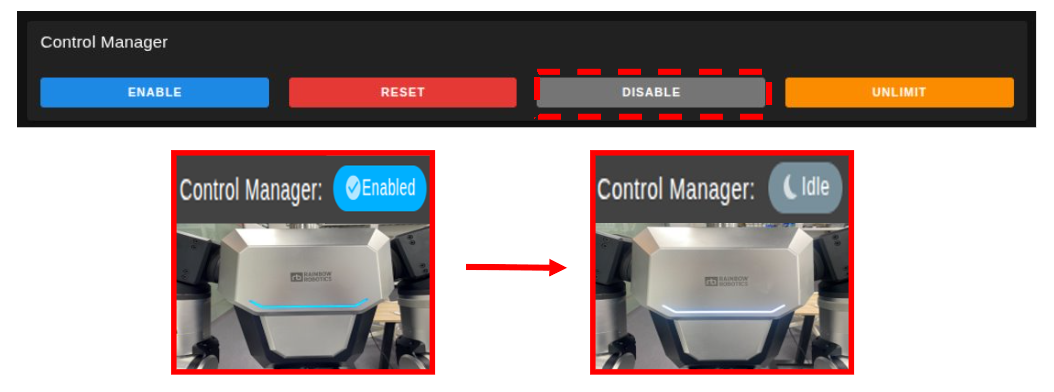
Perform Control Manager disable; when disabled, the front LED changes from blue to white.
Turn off all power (5V, 12V, 24V, 48V).

⚠️Before changing the robot power state, ensure that the Control Manager is disabled.
When the Control Manager is Enabled (i.e., all power rails are ON), turning OFF only a specific power line (such as 5V, 12V, 24V, or 48V) may cause system instability or a major fault.
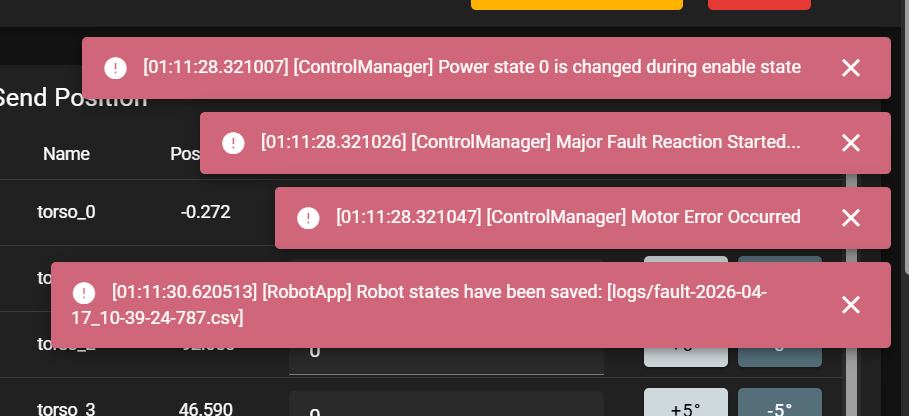

Always disable the Control Manager before changing any power state.
After disabling the Control Manager, proceed to safely turn ON/OFF the required power lines.
Important
You can check whether Control Manager is disabled from the front LED.
You can also verify it from the Control Manager status at the top of the Web UI.